CSE 101 · WEEK 10 · READING
The Internet, the Web and file processing
Finding remote resources, understanding their responses, and keeping data beyond a program run.
Read the Web concepts and the file-operation traces before the optional reference gallery. Try each Check before opening its answer. Lab 9 saves files on the PC using supplied Arduino acquisition/transport support; no SD card or Web-server implementation is required. Click figures to enlarge them. Wide code and tables scroll sideways.
1. Sharing computers before sharing webpages
Early computer communication addressed the need to use expensive computing resources from a distance. A remote terminal could let a person interact with a shared computer without standing beside it. Connecting separate sites raised additional questions: how to share links, identify destinations and let different machines exchange data. The Web came later as one application of networked communication.
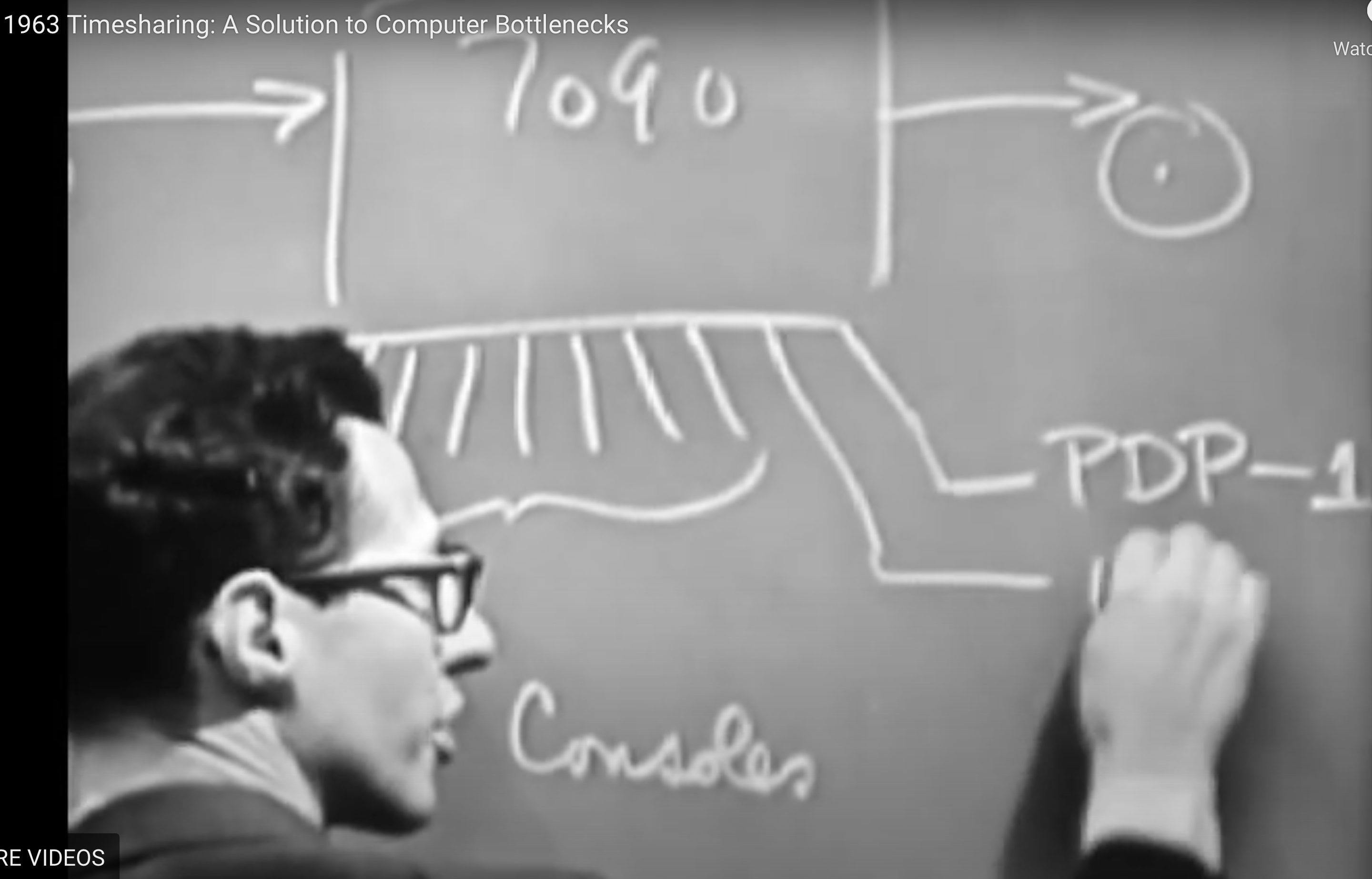
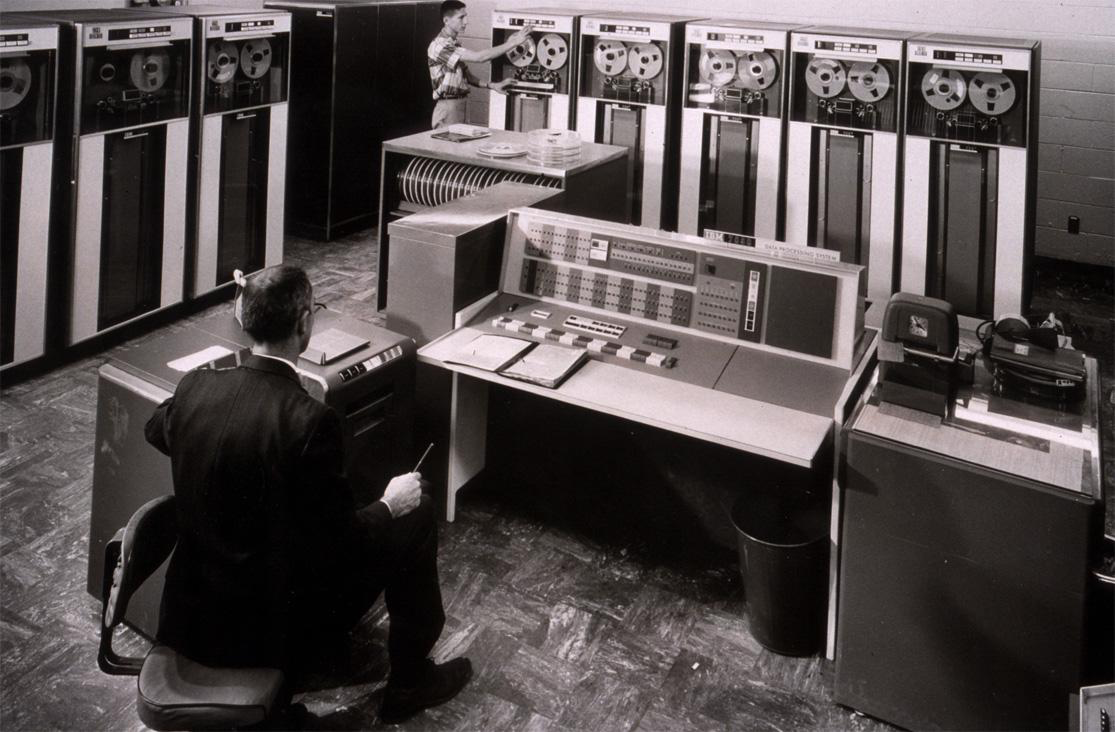
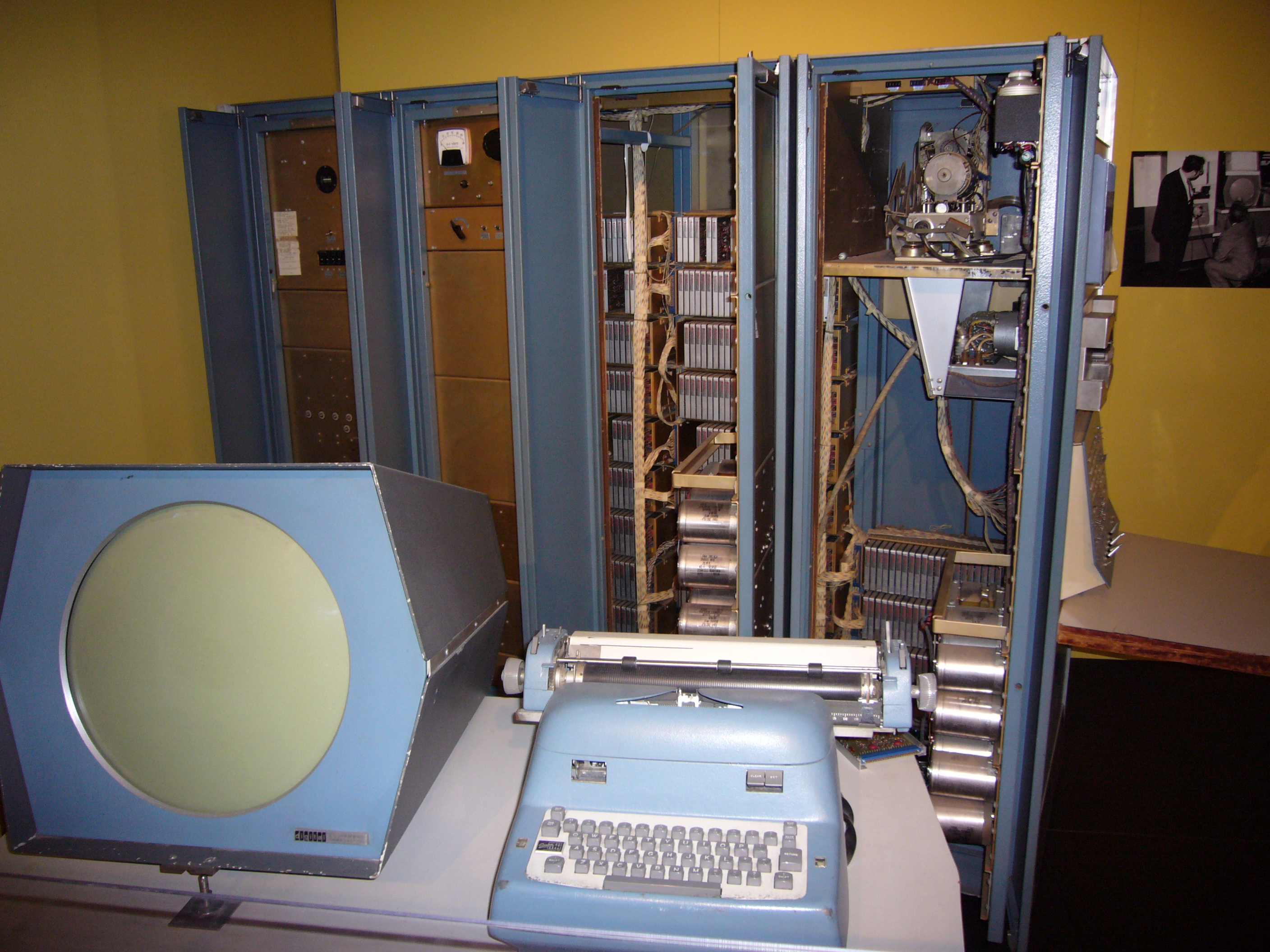
Resource sharing and internetworking are related but distinct. A collection of terminals using one computer is not the same arrangement as independent networks exchanging packets. We should identify what is connected and which service is being provided before applying a historical label.
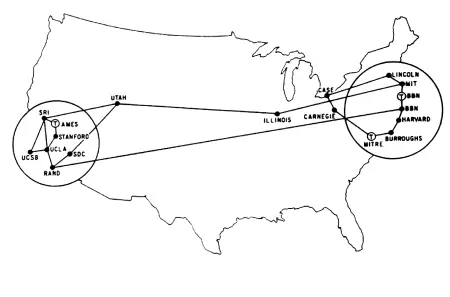
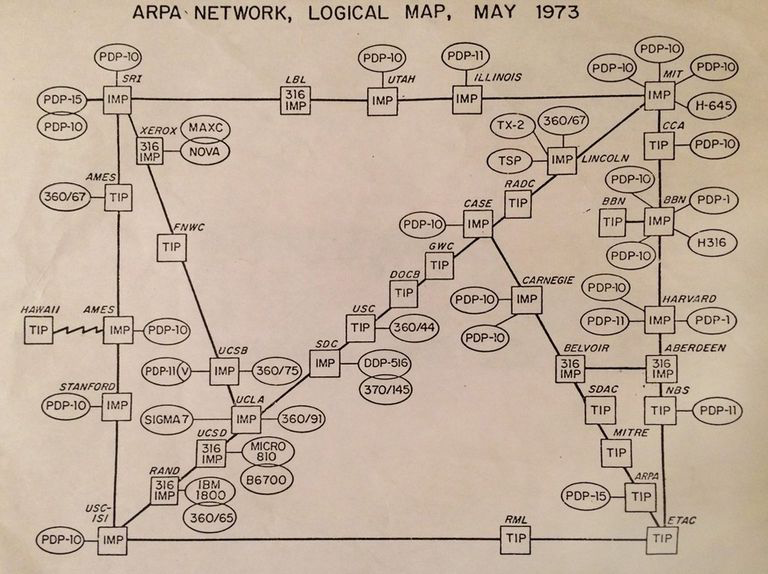
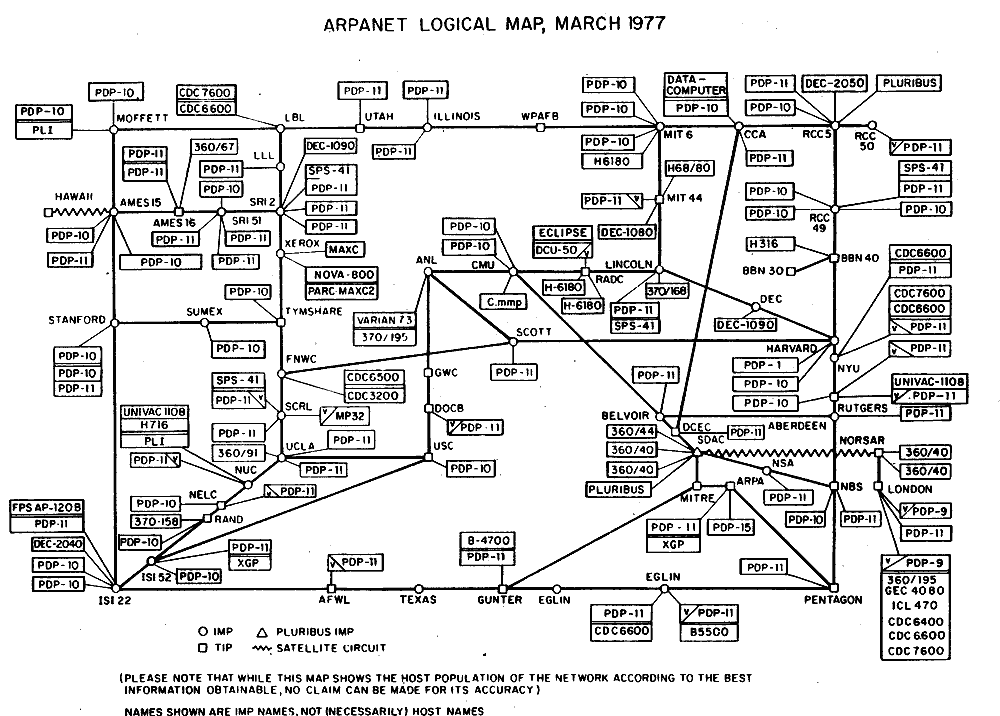
ARPANET was an early packet-switched network and a precursor to the Internet. The maps show growth and diversity, not a requirement to memorize every node. For a broader account, consult the Internet Society history. These history figures now open Week 10, following Week 9’s explanation of packet communication.
Check: Is a terminal connected to one shared computer already the same thing as the modern Web?
No. Remote access is a communication arrangement; the Web adds resource addressing, HTTP and linked content over network infrastructure.
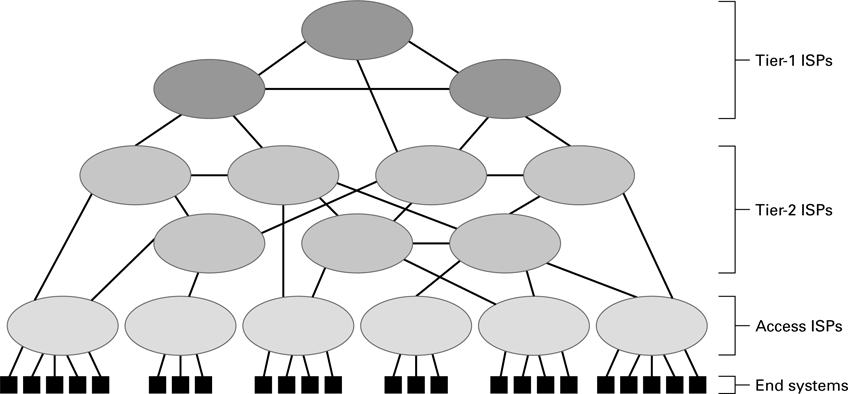
2. Internet, Web, browser and search engine
| Term | Role |
|---|---|
| Internet | Infrastructure interconnecting networks. |
| World Wide Web | Resources linked and accessed using Web technologies. |
| Browser | Client software that retrieves, interprets and presents resources. |
| Search engine | A service that indexes content and helps locate resources. |
Typing a known URL does not require first visiting a search engine. Conversely, a search result is a reference to a resource, not the resource’s underlying network connection. The Internet can also carry applications other than the Web. Keeping the roles separate helps explain which part of a task has failed.
A service presented under one name can involve many computers: some handle requests, some store records and others serve nearby copies. Distribution can improve capacity and availability, but introduces communication delays and partial failures. One component can be reachable while another component on which it depends is unavailable.
Check: A browser opens a known course URL while a search service is unavailable. Is that contradictory?
No. The browser can request a known resource directly. Search is a separate service, not a mandatory step in every Web request.
3. A URL identifies a resource
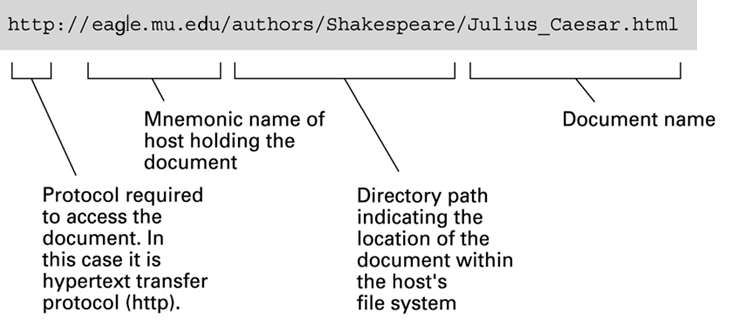
https://example.org:443/readings/week10?lang=en#files| Part | Value | Purpose |
|---|---|---|
| Scheme | https | Selects the access scheme. |
| Host | example.org | Names the service host. |
| Port | 443 | Explicit service port; the usual HTTPS default. |
| Path | /readings/week10 | Identifies a resource within this service. |
| Query | lang=en | Supplies request information interpreted by the service. |
| Fragment | files | Identifies a part handled by the client. |
The fragment is not part of the HTTP request target sent to the server. It can make the browser move to a section within the returned document. The path and query have meanings chosen by the service; they may cause a program to generate a response rather than select a stored file. A resource can change its implementation while retaining the same public URL. See RFC 3986 for URI components.
Check: Must /readings/week10 correspond to a directory named readings containing a file named week10?
No. The server can map that path to stored content, a program, or another resource representation. The URL is an interface, not a promise about storage layout.
4. DNS separates names from addresses
DNS stores records associated with domain names, including address records. One name can have several addresses, and several names can lead to one server. An address result helps locate a service; DNS does not retrieve the webpage or search its text. This separates naming from application content.
| Step | Question or result |
|---|---|
| Client → resolver | Find address information for the name. |
| Resolver → root | Find the servers responsible for org. |
| Resolver → org servers | Find the servers responsible for example.org. |
| Resolver → authoritative server | Obtain the requested records, or a relevant answer. |
| Resolver → client | Return the result or report failure. |
Responsibility is delegated through a hierarchy: root, top-level domains and authoritative zones. No single server needs to store all records for all names. The walk above assumes relevant information is not already cached. Cached referrals or answers can skip steps, while aliases can require additional work. It is a model of responsibility, not an exact packet trace for every browser visit.
Cached DNS information can be reused during its permitted lifetime, described using a time to live, TTL. After an address changes, a client may still use a previously cached answer until it expires. A correct address also does not guarantee that a server at that address is functioning. Naming and service availability need separate evidence. RFC 1034 develops the basic DNS model.
Check: If DNS returns an address successfully, has the browser already received the HTML document?
No. It has obtained naming information. Establishing communication and requesting the resource are later steps, unless content is already available from a cache.
5. Follow a request and its response
For an uncached HTTPS page, a browser needs to locate the host, establish suitable secure communication, request a resource and process the response. Existing connections and cached data may avoid repeating some of those steps. HTTP describes resource requests and responses, while the underlying network handles delivery.
GET /readings/week10?lang=en HTTP/1.1
Host: example.org
Accept: text/html
GET requests a representation of the resource. The target includes path and query, but not the URL fragment. The Host header identifies the requested host in this HTTP/1.1 example. A blank line ends the header section. This readable notation illustrates HTTP/1.1; HTTP/2 and HTTP/3 use different framing.
HTTP/1.1 200 OK
Content-Type: text/html; charset=utf-8
Content-Length: 20

<h1>Week 10</h1>
OK!
The status reports the outcome; headers describe the representation; the body contains its data. Here the body is the 20 UTF-8 bytes of <h1>Week 10</h1>, one newline, and OK!, with no final newline. Content-Length counts body bytes, not displayed characters or the header section. On the wire, HTTP/1.1 header lines use CRLF; the block is a readable presentation.
| Status | Interpretation |
|---|---|
| 200 | Successful response in this example. |
| 301 / 302 | Redirection, normally with a Location header. |
| 404 | No current representation found for the request. |
| 500 | The server encountered an unexpected condition. |
A 404 response demonstrates that an HTTP server answered. A name-resolution failure occurs before that exchange. Neither symptom alone identifies every underlying cause. The distinction narrows where to investigate. RFC 9110 defines HTTP semantics independently of a particular wire version.
Check: If the browser shows HTTP 404, should you first assume DNS did not resolve the name?
No. An HTTP response was received. Inspect the requested resource and responding service; a DNS failure is a different stage.
6. Secure transport and HTTP versions
HTTPS protects HTTP communication in transit and authenticates the server name using TLS and the relevant trust checks. It does not establish that every sentence on a page is true or that the application is free of defects. A correctly authenticated service can still return wrong data.
| Version | Main distinction |
|---|---|
| HTTP/1.1 | Textual message syntax over TCP; connections can be reused. |
| HTTP/2 | Binary framing and multiplexed streams over TCP. |
| HTTP/3 | HTTP over QUIC, which uses UDP underneath. |
HTTP/3 is not simply HTTP sent as raw unreliable UDP messages. QUIC supplies reliable streams and secure transport. That is an example of Week 9’s point that a higher layer can supply properties absent from UDP itself. See RFC 9113 and RFC 9114. The request’s meaning remains distinguishable from how it is framed and transported.
Check: Does HTTPS certify that a displayed sensor value was measured correctly?
No. It protects the communication and server identity under its trust model. Sensor accuracy, application logic and data provenance require separate evidence.
7. A displayed page can depend on many resources
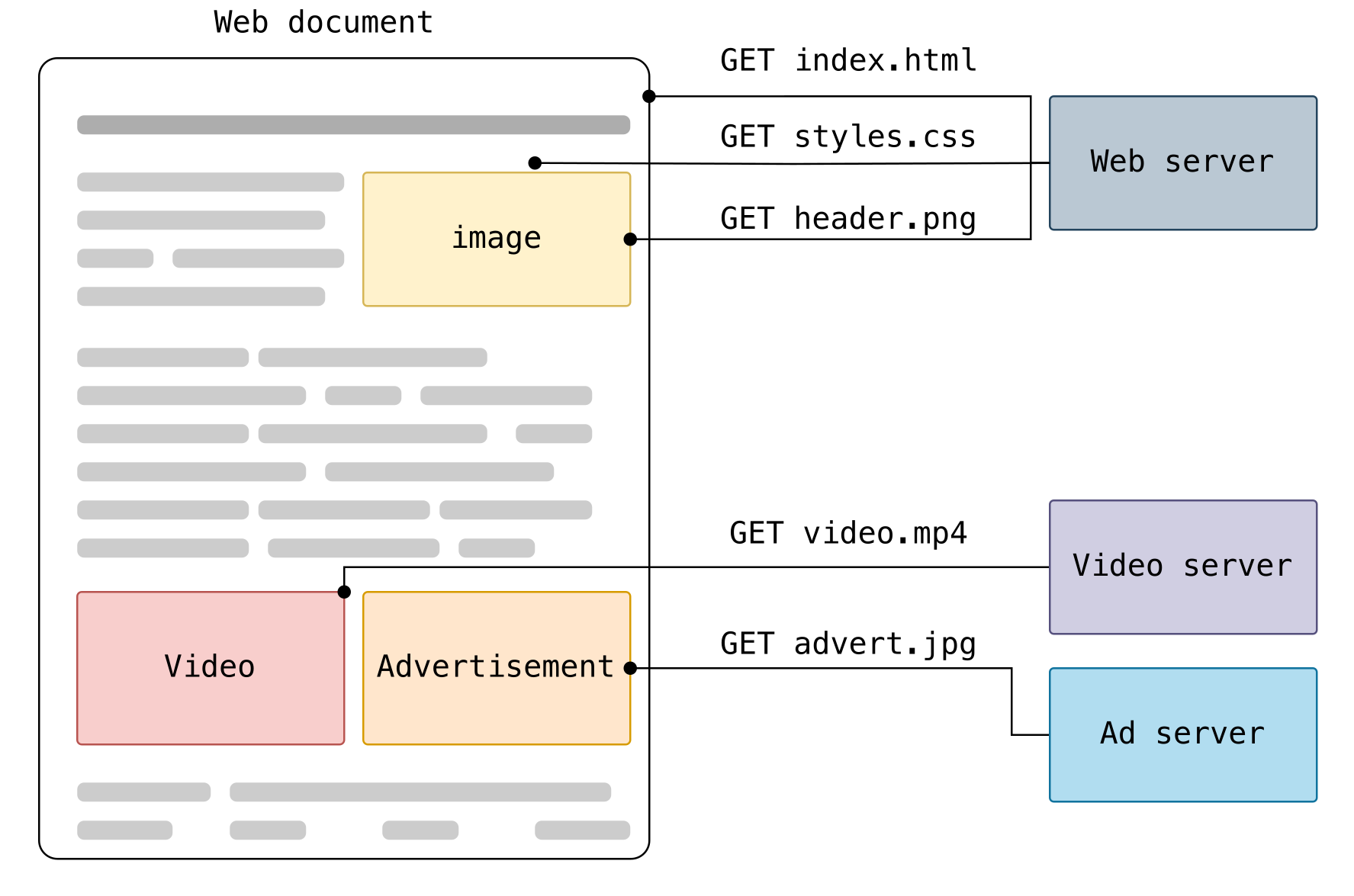
The first HTML response need not contain everything displayed. The browser interprets the document, discovers resource references, fetches what it needs and combines the results. A failed image request can leave the surrounding text visible. A script can request additional data after the first rendering. This explains why “the page loaded” is not a complete description of which requests succeeded.
The diagram is from MDN’s HTTP overview, under CC BY-SA 2.5. Its separate arrows identify separate resource exchanges; they do not imply a new physical connection is required for each item.
Check: Why can a new HTML page show an old image?
The HTML and image are separate resources. They may have different stored versions or cache lifetimes. Inspect the image request instead of assuming the whole page is one indivisible file.
8. Markup, appearance and programmed behavior
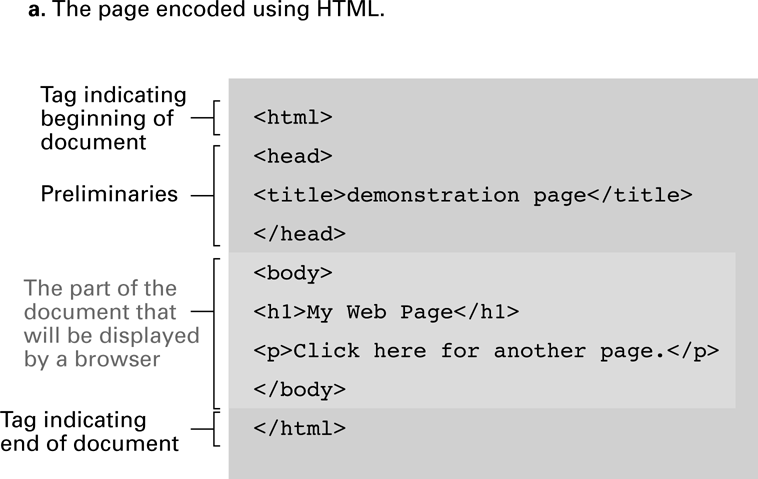
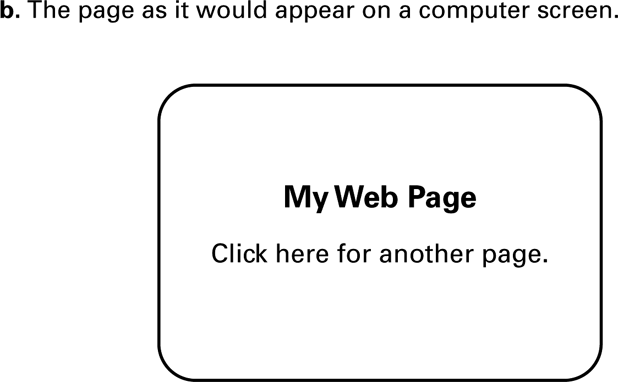
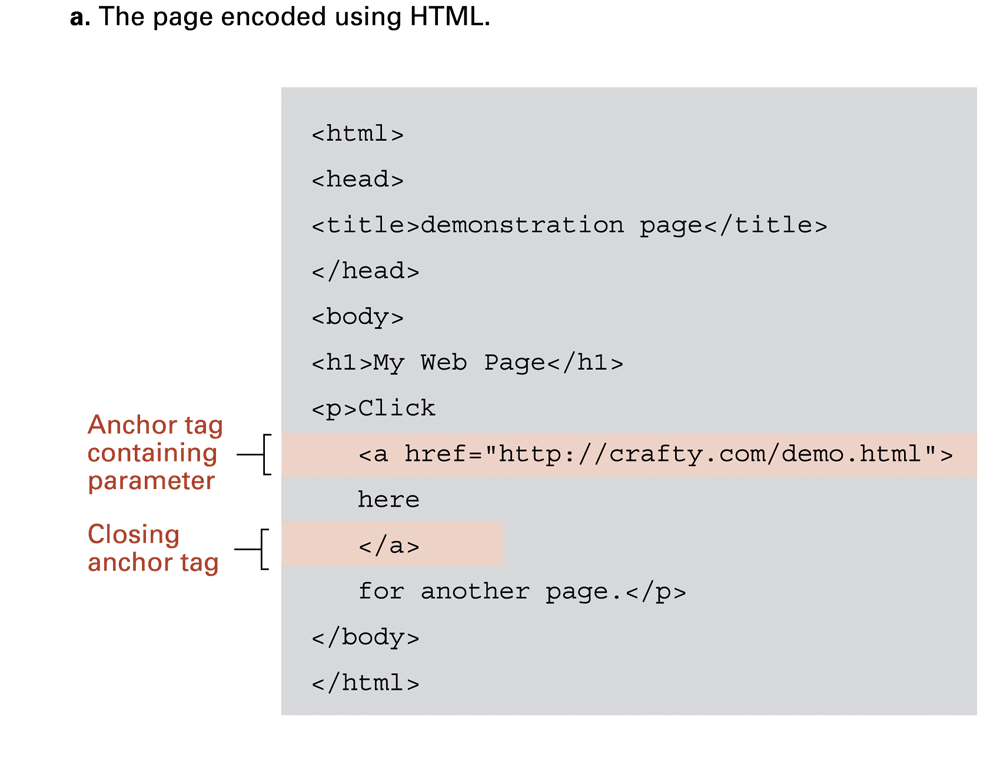
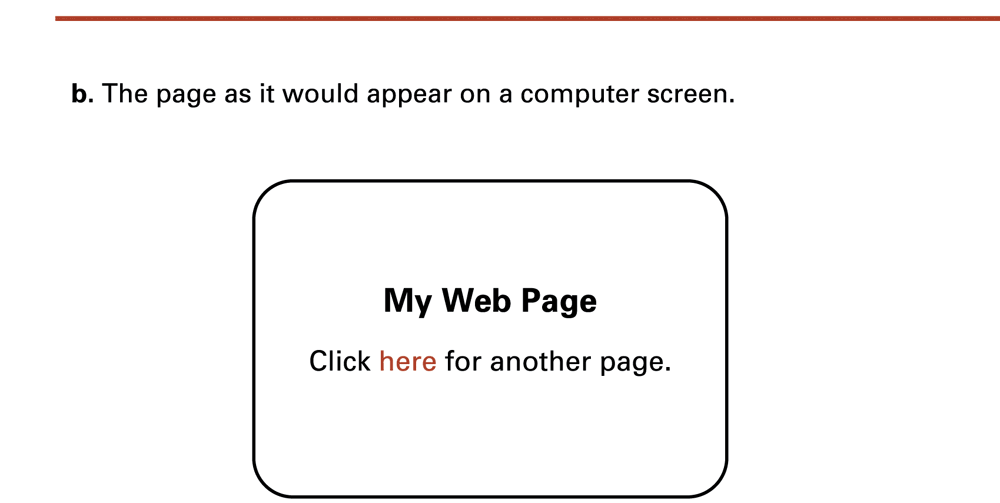
HTML describes content and document structure, CSS supplies presentation rules, and JavaScript provides programmed behavior. They cooperate, but they are not three interchangeable programming languages. A generated response can contain ordinary HTML just as a stored static page can.
A static resource can be served from prepared content. A server can instead compute a response from a request and stored records, such as a timetable query. Browser-side code can also update an existing page. “Dynamic” therefore needs context: computation may occur at the server, in the browser, or both.
Check: Does seeing HTML in the browser’s source prove that the server stored that exact page as a disk file?
No. The server may have generated the same HTML in response to the request. The representation does not reveal every implementation detail.
9. Data services, sessions and state
GET /api/readings/latest HTTP/1.1
Host: example.org
Accept: application/json

Example response body:
{"sensor":"light","value":512}
A Web service can return structured data rather than a complete page. An API defines how another program requests and interprets it. The number 512 has no physical unit merely because it appears in JSON: the agreement must say whether it is a raw reading, an intensity or another quantity. Representation and meaning remain separate.
HTTP does not automatically remember a user interaction just because requests share a connection. Applications can associate requests using a session identifier. A server may set a cookie which the browser sends with later eligible requests; session data can remain on the server. A cookie is not inherently a password, although some cookies carry sensitive session identifiers. Details are covered in MDN’s cookie guide.
Check: If a response is valid JSON, does that prove the value is useful for your application?
No. Syntax validity does not establish units, range, freshness or meaning. Those belong to the application’s data contract.
10. Caches reduce work but need rules

An intermediary can relay a request, distribute work or reuse a stored response when allowed. A content delivery network places copies or services at multiple locations. A browser also keeps cached resources. These mechanisms can reduce delay and load, but must respect which response may be reused, by whom and for how long.
A public course illustration and a private account response need different reuse rules. Cache freshness and revalidation are defined by HTTP caching mechanisms; a stored response is not automatically valid forever. DNS caching stores naming information, whereas an HTTP cache stores responses. Confusing them can lead to the wrong repair. See RFC 9111.
| Observation | Possible explanation |
|---|---|
| Name reaches an old server | Cached DNS information. |
| Correct server has old HTML | Deployment did not update the resource. |
| Server has new HTML, browser displays old | A browser or intermediary reused a stored response. |
| HTML updated, image did not | The image has a separate version or cache policy. |
These are hypotheses, not diagnoses. Inspect the name result, requested URL, status, headers and returned body at the relevant stage. Similarly, a connection timeout, certificate warning and application data error point to different questions. A visible symptom narrows the investigation without uniquely proving its cause.
Check: Will clearing a browser’s cached images necessarily repair a DNS record pointing to an old server?
No. These caches hold different information. Investigate the naming result separately from the cached HTTP representation.
11. Persistent data need a representation
An array belongs to a running program’s memory. A file can retain data for a later execution or another program. Persistence is not indestructibility: files can be overwritten, truncated or damaged. A useful saved record also needs a format that a later reader can interpret.
For this week’s log, store one decimal raw reading per line. The producer and reader must agree on value ranges and the meaning of those readings. Longer-lived formats should document encoding, separators, units, missing values and changes in version. A sequence of numbers without its interpretation can survive physically while losing its usefulness.
Check: If a file survives a program restart, is its data automatically understood by a different program?
No. The reader needs the representation and meaning: for example, whether 512 is a raw count and which separator ends a record.
12. Streams connect programs to data
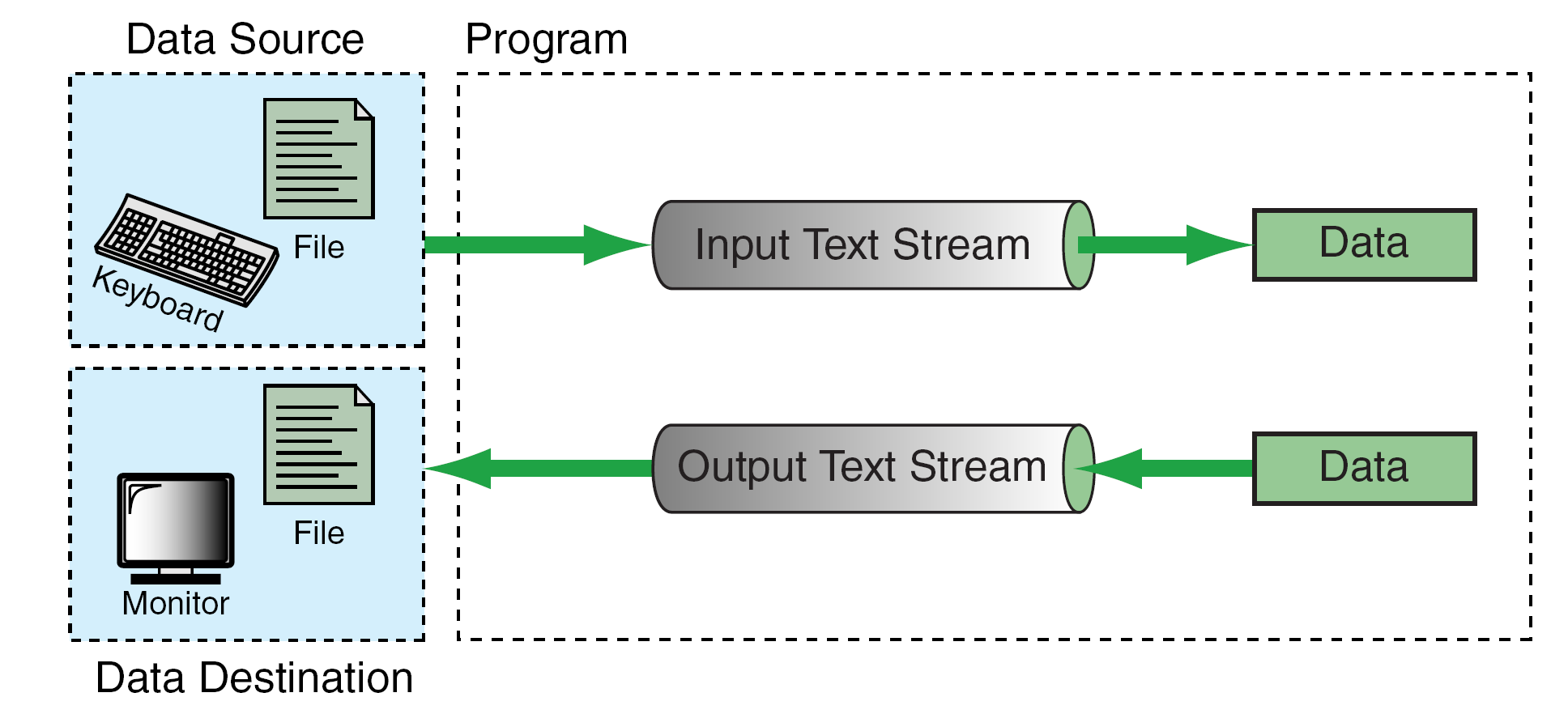
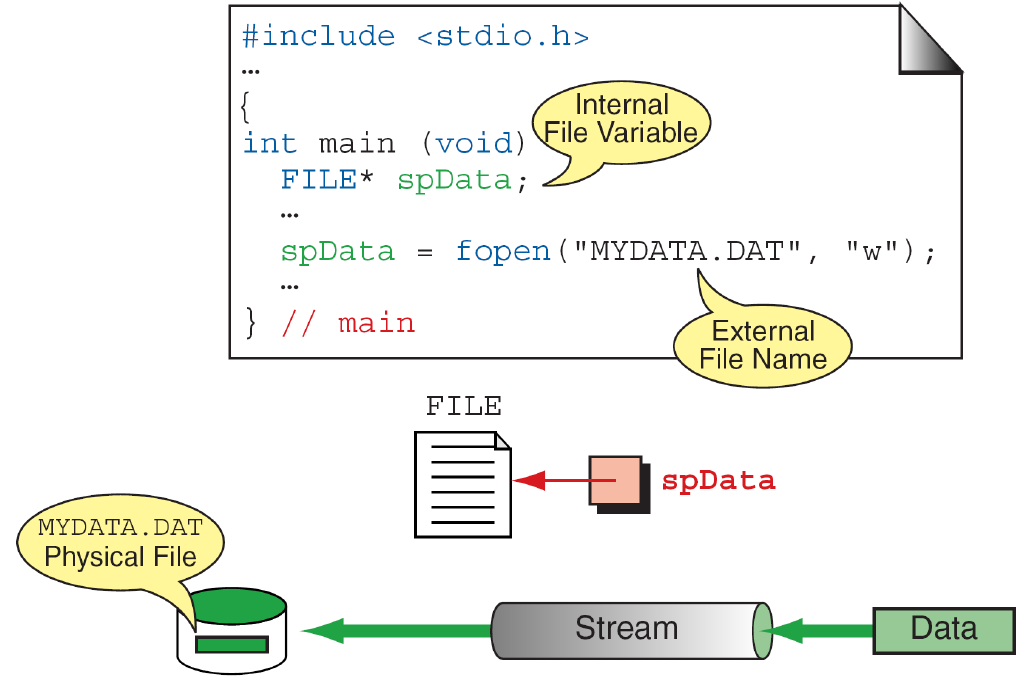
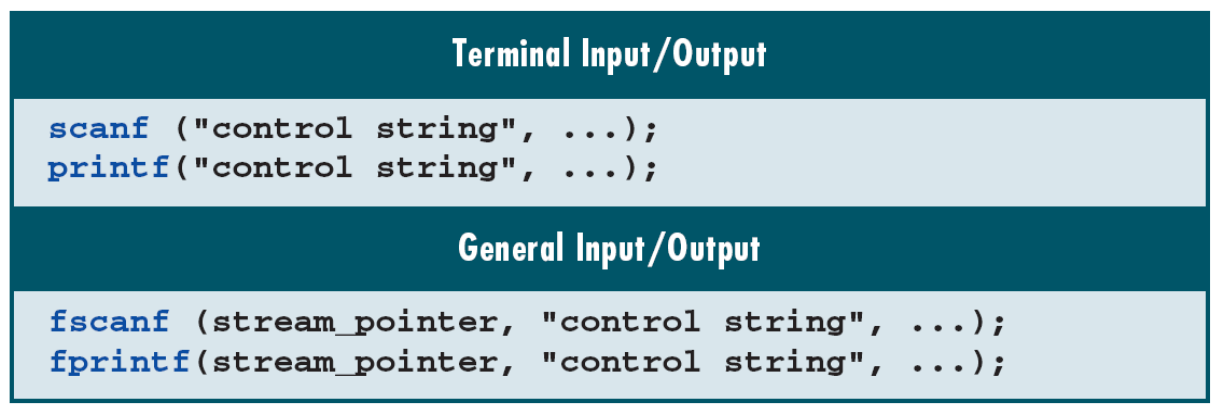
Include <stdio.h> for standard C stream operations. stdin supplies standard input, stdout ordinary output, and stderr diagnostics. These streams can be redirected. Thus printf is not inherently restricted to a physical monitor, and scanf does not inherently require a keyboard.
The library manages state such as position, buffering and status indicators. Opening a stream makes that interface available when successful; closing it ends its use. After fclose, do not read, write or close again through the same stream pointer unless it has been assigned a newly opened stream.
Check: Why should a diagram’s arrow from FILE * toward a file not be treated like an int pointer to array elements?
FILE * designates library-managed stream state. Use the stream functions; pointer arithmetic on it does not navigate disk-file bytes.
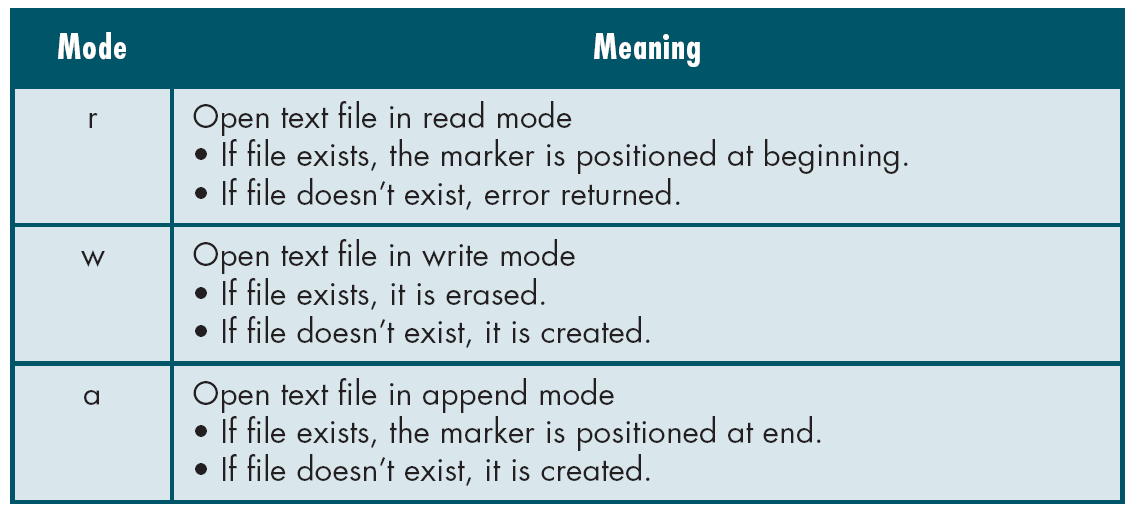
13. Paths and open modes change the result
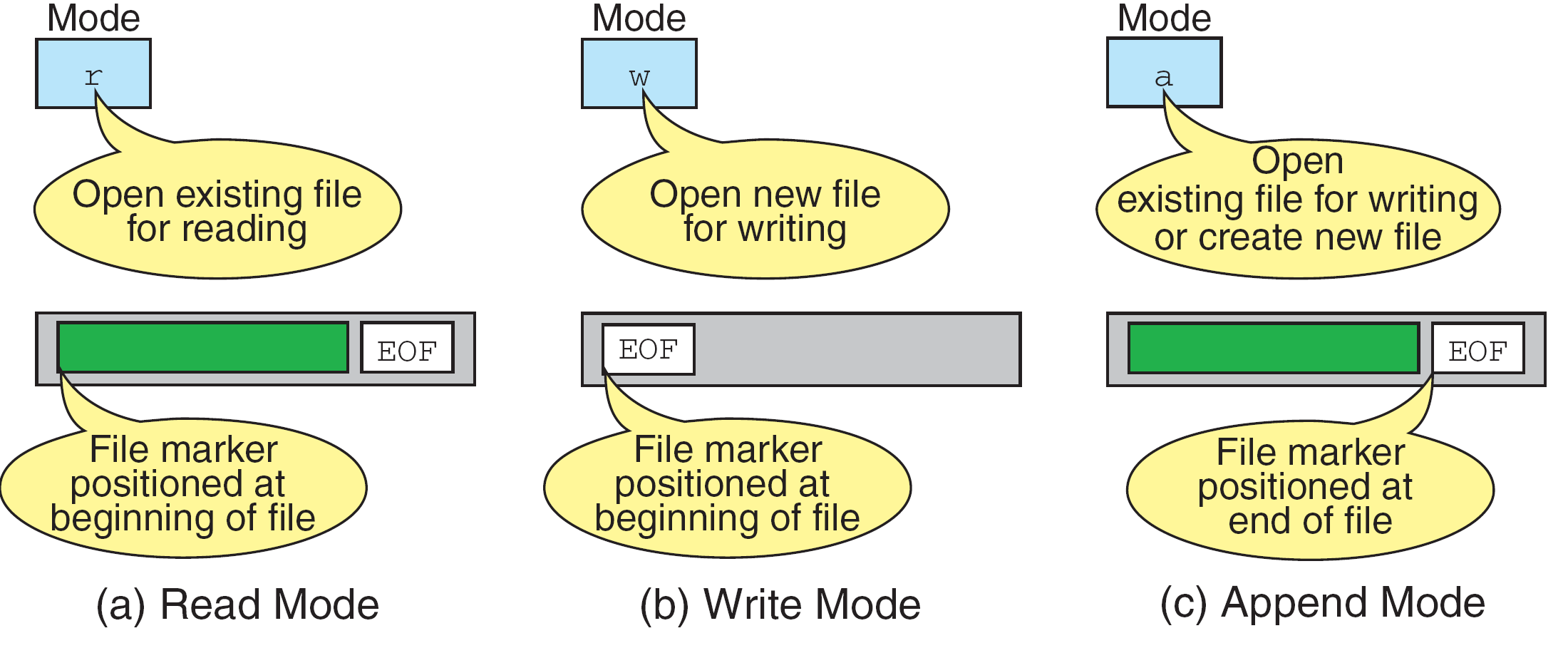
A relative path such as readings.txt is interpreted from the program’s current working directory. That is not automatically the directory containing its source file. A missing file, incorrect directory, denied permission or unavailable resource can make opening fail.
| Mode | Existing file | Missing file |
|---|---|---|
| r | Read from the beginning | Open fails |
| w | Truncate to zero length, then write | Create |
| a | Writes go to the end | Create |
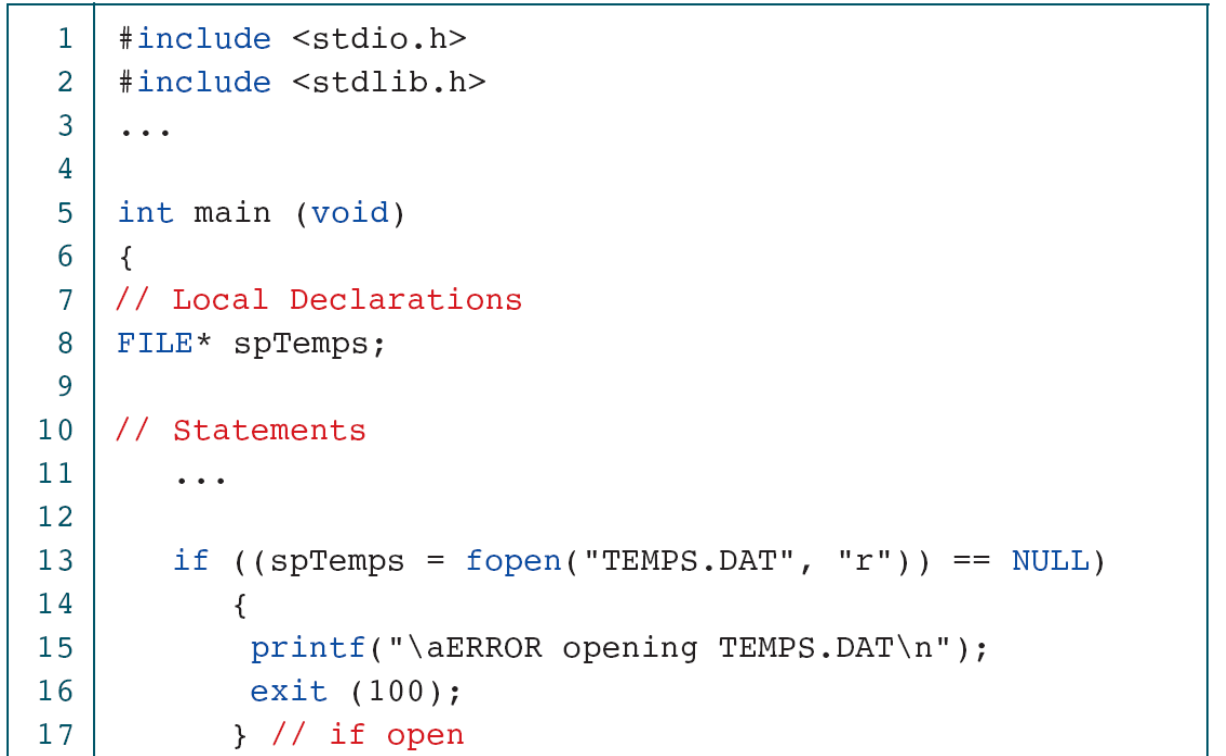
FILE *fp = fopen("readings.txt", "r");
if (fp == NULL) {
    perror("readings.txt");
    return 1;
}
/* Use fp only after this check. */
This fragment belongs inside a program with stdio.h included. A successful open returns a usable stream pointer; failure returns NULL. Opening with w can erase old contents immediately, before the first explicit write. Choose it deliberately for fresh output, not for extending a log. Append mode is appropriate when preserving earlier content is part of the task.
Check: A second execution leaves only today’s readings. Which operation could have removed yesterday’s data before any writing loop ran?
Opening the existing file with w truncates it. The mode itself changes the file; the loop need not contain a deletion statement.
14. Writing has a return value and a buffered effect
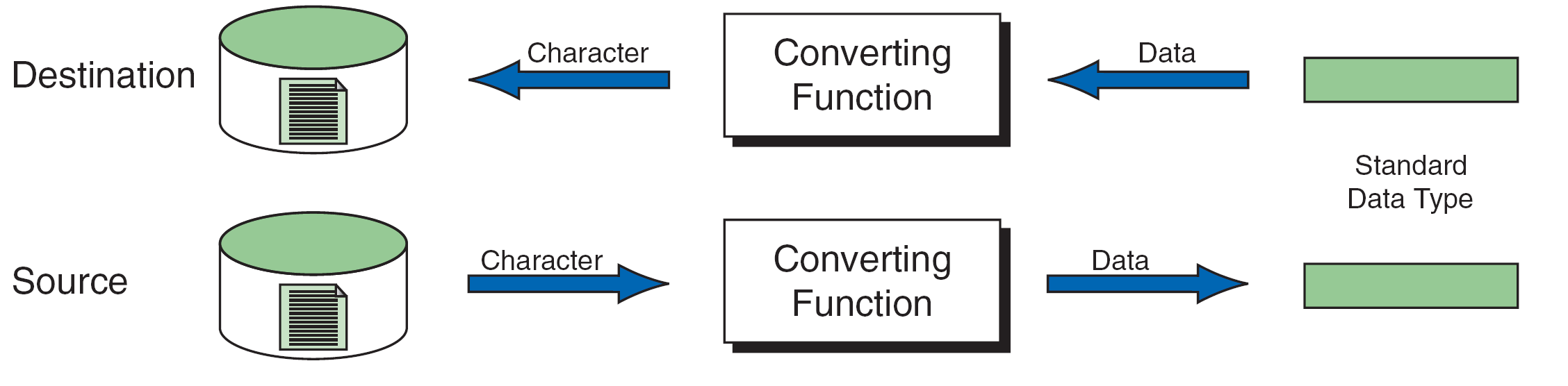
Writing the int value 512 with fprintf(fp, "%d\n", value) produces the text 512 followed by a newline. It does not copy the int object’s in-memory byte representation into the file. The text is portable only to the extent that producer and reader agree on its conventions.
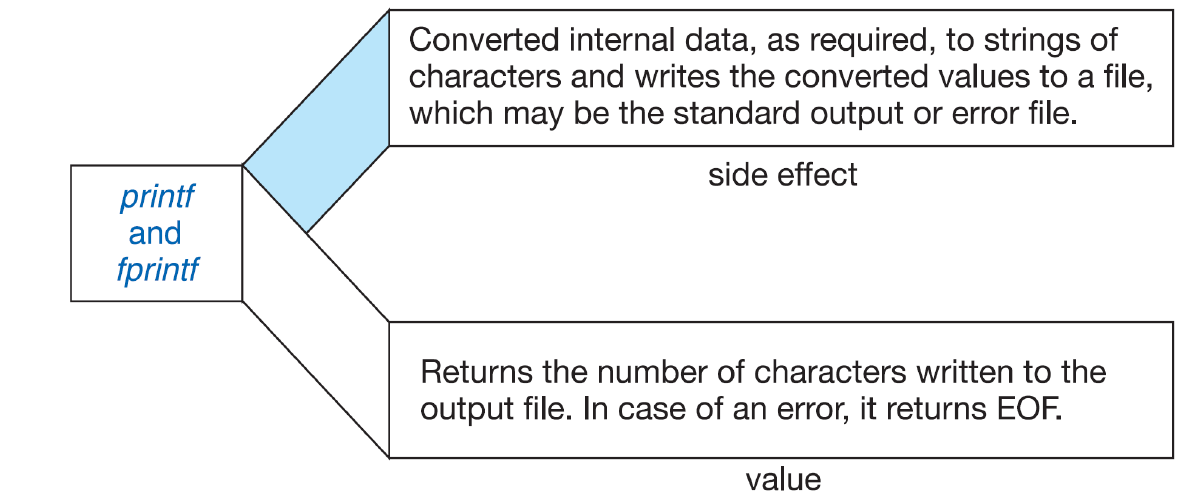
if (fprintf(fp, "%d\n", value) < 0) {
    perror("write");
    fclose(fp);
    return 1;
}
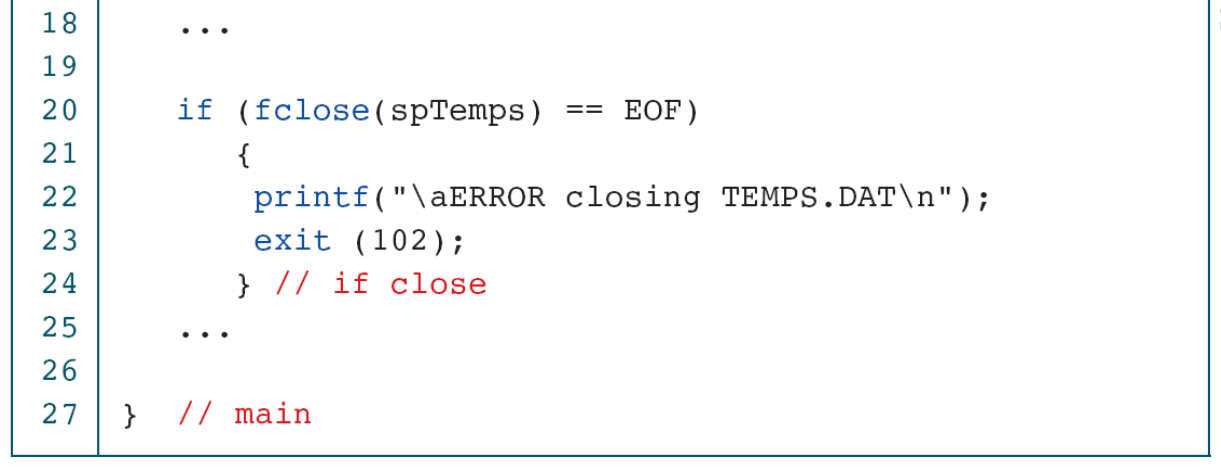
if (fclose(fp) == EOF) {
    perror("close");
    return 1;
}
Assume fp is already open for output. A write may be buffered, so some failure can be detected when data are flushed during close. Check both stages. If a write has already failed, the cleanup close above is still attempted; the program reports failure regardless of its outcome. Successful fclose is not a universal guarantee against later power loss or storage failure.
| Operation | Text, with newlines shown as \n |
|---|---|
| w; write 512 and 640 | 512\n640\n |
| a; append 700 | 512\n640\n700\n |
| w again; write 900 | 900\n |
Check: Why is “fprintf did not fail” insufficient evidence that the whole save operation completed?
Buffered data may still need to be flushed. Closing can report a later output error, so the program must inspect that result too.
15. A bounded read can return a fragment of a line
char line[16];
while (fgets(line, sizeof line, fp) != NULL) {
    printf("%s", line);
}
if (ferror(fp)) {
    perror("read");
}
This introductory fragment assumes fp is open for input; the complete program below also checks output and closing. For this array, fgets stores at most 15 characters and adds a null terminator on success. A newline is kept if it is read before the buffer fills. Test the returned pointer before using the buffer. The terminator is added in memory; it is not a byte that must already be present in the text file.
| Call | Successful buffer content | Next position |
|---|---|---|
| 1 | 512\n followed by \0 | Before 6 |
| 2 | 640\n followed by \0 | At end of data |
| 3 | Returns NULL; no new string | EOF indicator set |
| Call | Result |
|---|---|
| 1 | 1234 followed by \0 |
| 2 | 56\n followed by \0 |
| 3 | NULL at exhaustion |
A successful call is therefore not necessarily a complete record. Displaying text fragments in order can reproduce an ordinary text file. Parsing one record per line instead requires detecting whether the complete line was obtained or explicitly rejecting an overlong record. Our examples exclude embedded null bytes; those would complicate treating each input fragment as an ordinary C string.
Check: If a successful read lacks a newline, must the file be malformed?
No. The line might exceed the buffer, or the final line may simply lack a trailing newline. Determine which case applies before treating the fragment as a complete record.
16. Attempt input, then inspect its result
End of file is discovered by an input operation. while (!feof(fp)) tries to predict whether a future read will succeed; the indicator can still be clear immediately after the last successful read. A subsequent failed read can then cause an incorrectly written loop to process an old value again.
Use the input function’s result as the loop condition. After it stops, inspect ferror to distinguish a read error from ordinary exhaustion in these examples. An empty file produces no successful data reads; a final line without newline can still provide valid data. An unsuccessful read must not be treated as supplying fresh content.
For character input, store the result of fgetc or getchar in an int. The result must represent either an unsigned-character value converted to int or EOF. Storing it prematurely in char can lose the distinction. The EOF macro is a reporting convention, not a universal physical end marker.
Check: Why can testing feof before each read duplicate the final displayed value?
The final successful read need not set EOF. The next read fails, but a loop that ignores its result may reuse the previous buffer or variable.
17. Formatted input reports completed assignments
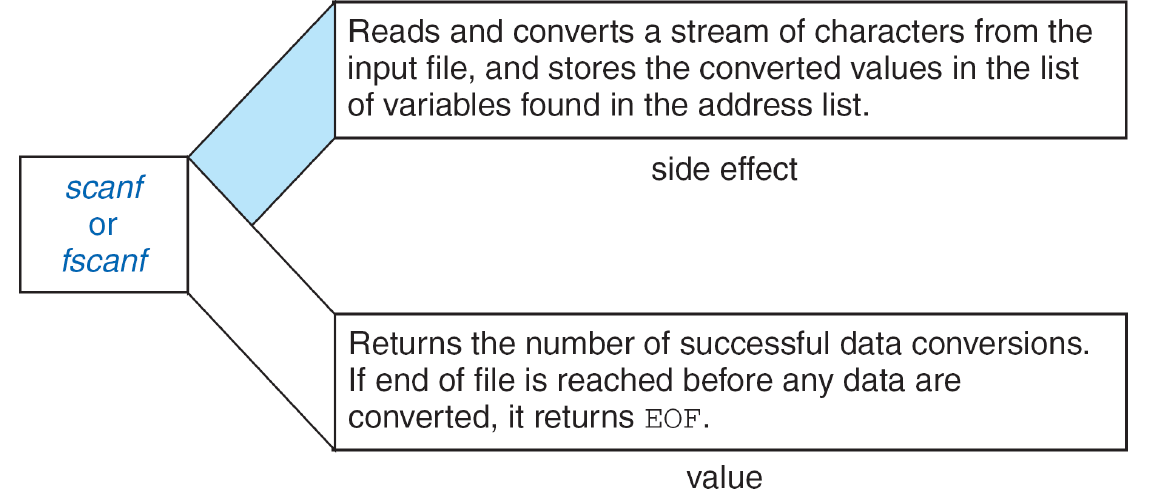
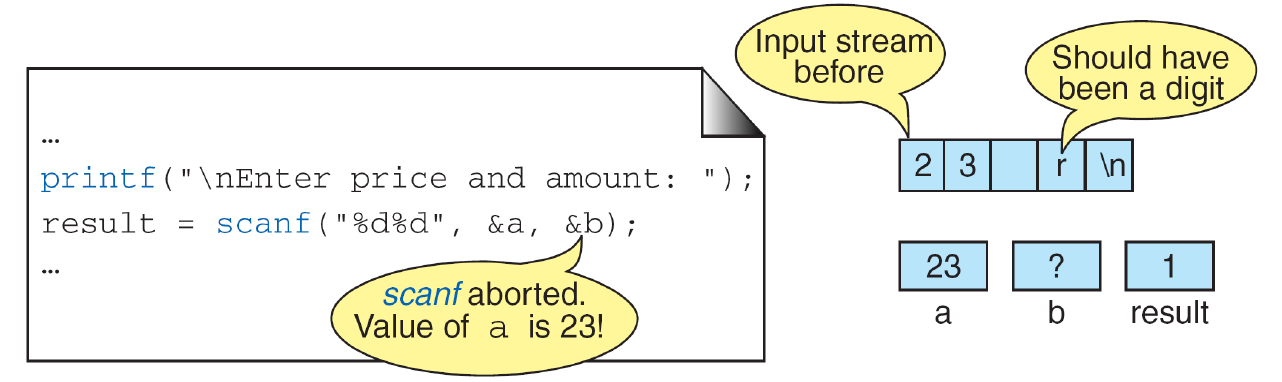
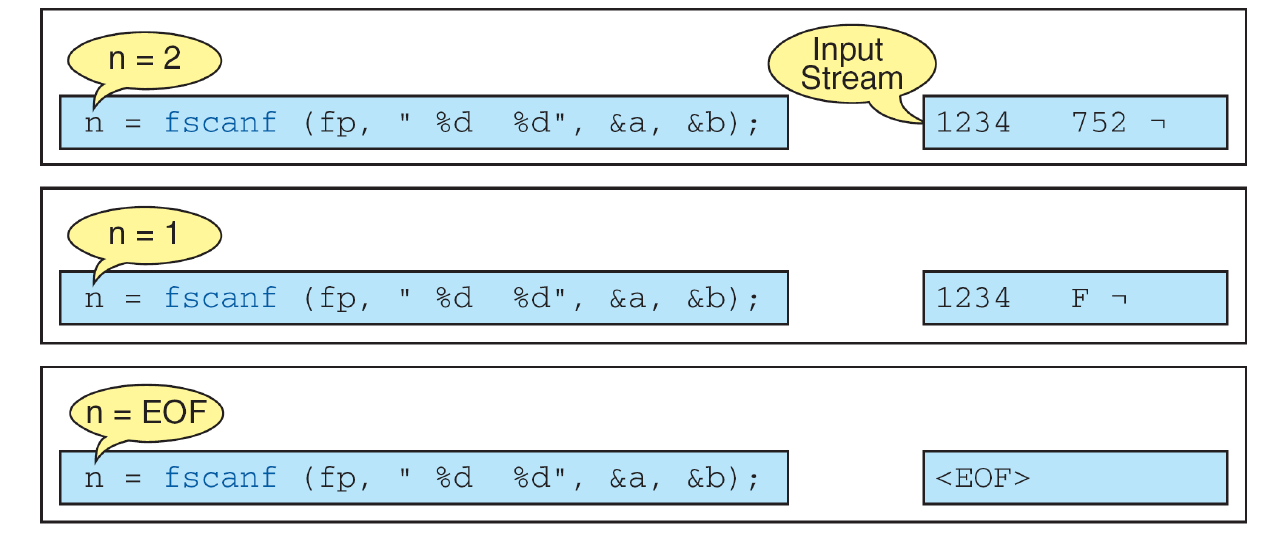
| Input | Return | Newly assigned |
|---|---|---|
| 1234 752 | 2 | Both a and b |
| 1234 F | 1 | Only a |
| F | 0 | Neither |
| Empty input | EOF | Neither |
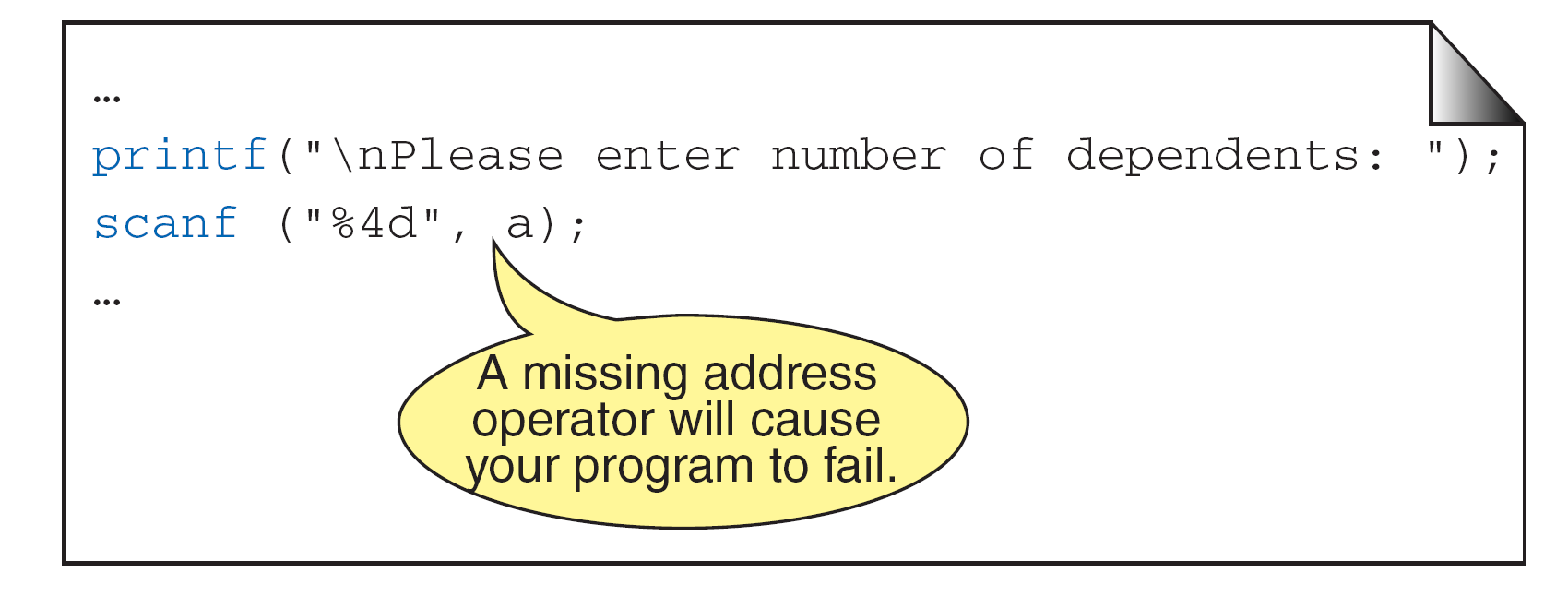
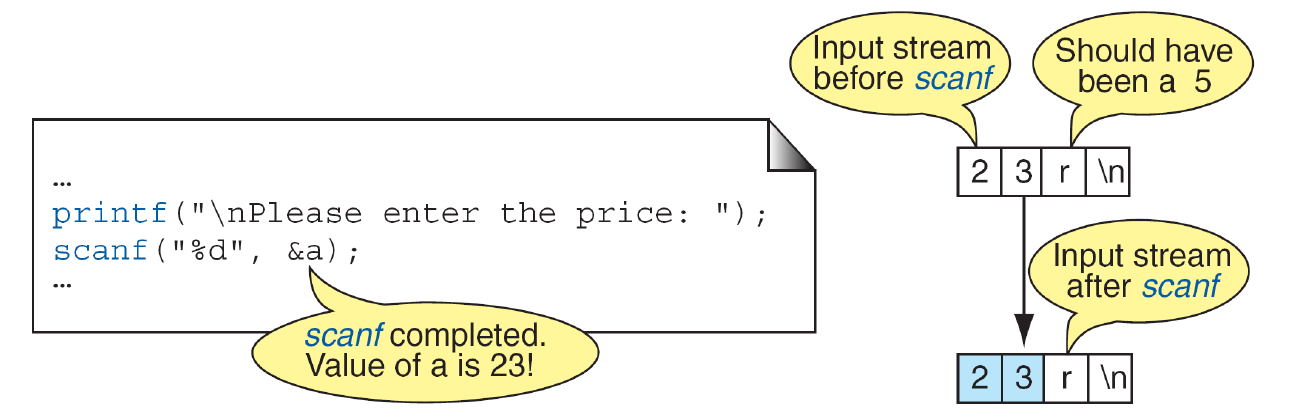
A matching failure such as F where an integer is required can return zero without consuming that offending token. Repeating the same call without changing the input state can repeat forever. For a controlled one-integer loop, continue only while the return is exactly 1. Afterward distinguish a read error, matching failure and normal exhaustion.
int value;
int rc;
while ((rc = fscanf(fp, "%d", &value)) == 1) {
    printf("%d\n", value);
}
if (ferror(fp)) {
    puts("Read error");
} else if (rc == 0) {
    puts("Non-integer input");
}
This fragment assumes an open input stream and controlled numeric values representable as int; it is not a complete validator for arbitrary external records. For such input, read bounded text, detect incomplete records, and validate the full syntax and numeric range with an appropriate conversion method. Successful conversion of a prefix does not establish full-record validity.
Check: Why is != EOF the wrong loop test when one integer assignment is required?
A matching failure can return 0, which is not EOF. The loop can continue without a new value or input progress. Test == 1 and handle other outcomes explicitly.
18. Complete examples: write, append and read back
The writer below deliberately creates a fresh log with 512 and 640, then reopens it in append mode for 700. It uses a filename supplied as the first command-line argument, or readings.txt otherwise. argc counts arguments and argv provides their strings; this small use lets the program be tested in a separate directory.
#include <stdio.h>

int main(int argc, char **argv)
{
    const char *path = argc > 1 ? argv[1] : "readings.txt";
    int readings[] = {512, 640};
    FILE *fp = fopen(path, "w");
    if (fp == NULL) { perror(path); return 1; }
    for (int i = 0; i < 2; ++i) {
        if (fprintf(fp, "%d\n", readings[i]) < 0) {
            perror("write");
            fclose(fp);
            return 1;
        }
    }
    if (fclose(fp) == EOF) { perror("close"); return 1; }

    fp = fopen(path, "a");
    if (fp == NULL) { perror(path); return 1; }
    if (fprintf(fp, "%d\n", 700) < 0) {
        perror("append");
        fclose(fp);
        return 1;
    }
    if (fclose(fp) == EOF) { perror("close"); return 1; }
    return 0;
}
The reader displays ordinary text in bounded fragments, preserving the sequence even when one line needs several reads. It is a text display program, not a numeric-record parser. It checks input, output and close results; stdout may also buffer output, so its final flush is checked.
#include <stdio.h>

/* Display ordinary text (no embedded null bytes), even when a line is long. */
int main(int argc, char **argv)
{
    const char *path = argc > 1 ? argv[1] : "readings.txt";
    char line[16];
    int failed = 0;
    FILE *fp = fopen(path, "r");
    if (fp == NULL) { perror(path); return 1; }
    while (fgets(line, sizeof line, fp) != NULL) {
        if (printf("%s", line) < 0) {
            perror("output");
            failed = 1;
            break;
        }
    }
    if (ferror(fp)) { perror("read"); failed = 1; }
    if (fclose(fp) == EOF) { perror("close"); failed = 1; }
    if (fflush(stdout) == EOF) { perror("output flush"); failed = 1; }
    return failed;
}
Run the writer only on a chosen practice output because its first open uses w. After it finishes successfully, reopen the file with the reader and compare the recovered text with three lines: 512, 640 and 700. Re-running the complete writer produces those three lines again because it starts a fresh file; it does not add another three readings to yesterday’s log.
Check: Which change would make an ongoing logger preserve its previous file rather than deliberately start fresh?
Its initial output mode and lifecycle must be designed for append, rather than starting with w. Also define how runs, headers and partial records are distinguished; changing the mode alone does not define the full log format.
19. Test persistence through observable outcomes
| Case | Expected reasoning |
|---|---|
| Missing input | Report open failure; never read through NULL. |
| Empty input | Produce no readings and finish normally. |
| Final line without newline | Process the data actually obtained. |
| Long line | Handle fragments or explicitly reject an overlong record. |
| Append | Earlier content remains. |
| Fresh output with w | Earlier content is deliberately replaced. |
| Write/close failure | Report failure rather than claim the log was saved. |
A successful message printed by the writer is only one observation. Close, reopen and compare the file’s content. Use an isolated practice directory so path assumptions are visible. An invalid output path tests open failure; it does not simulate a disk becoming full after opening. Match each claim to what the test actually exercised.
Lab 9 first uses a small fixed batch. Arduino may supply data through provided acquisition and transport support, but the file remains on the PC. Students implement the basic file operations. SD-card hardware, Web-server implementation, binary records and the historical grade-record example are not added requirements here. Database organization and structured records are the next planned conceptual step.
Check: Does passing a missing-file test prove the program handles a write failure occurring after a successful open?
No. Those are different paths. Inspect and test the later failure handling separately when the environment supports it.
20. Optional reference: I/O families and conversion tables
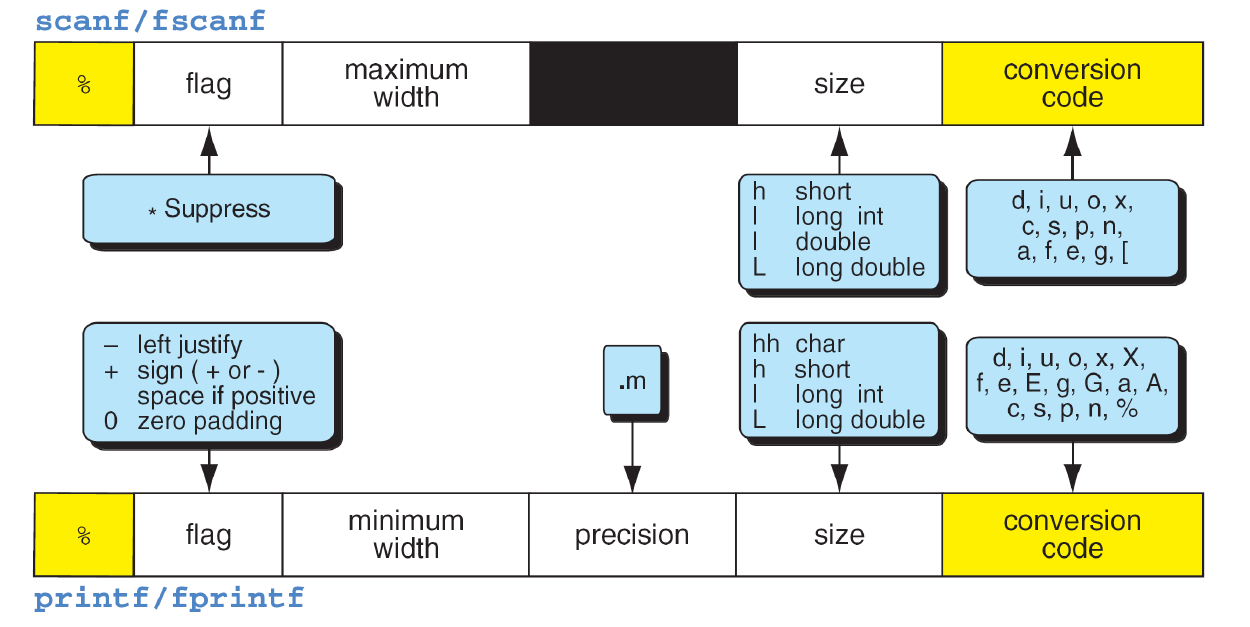
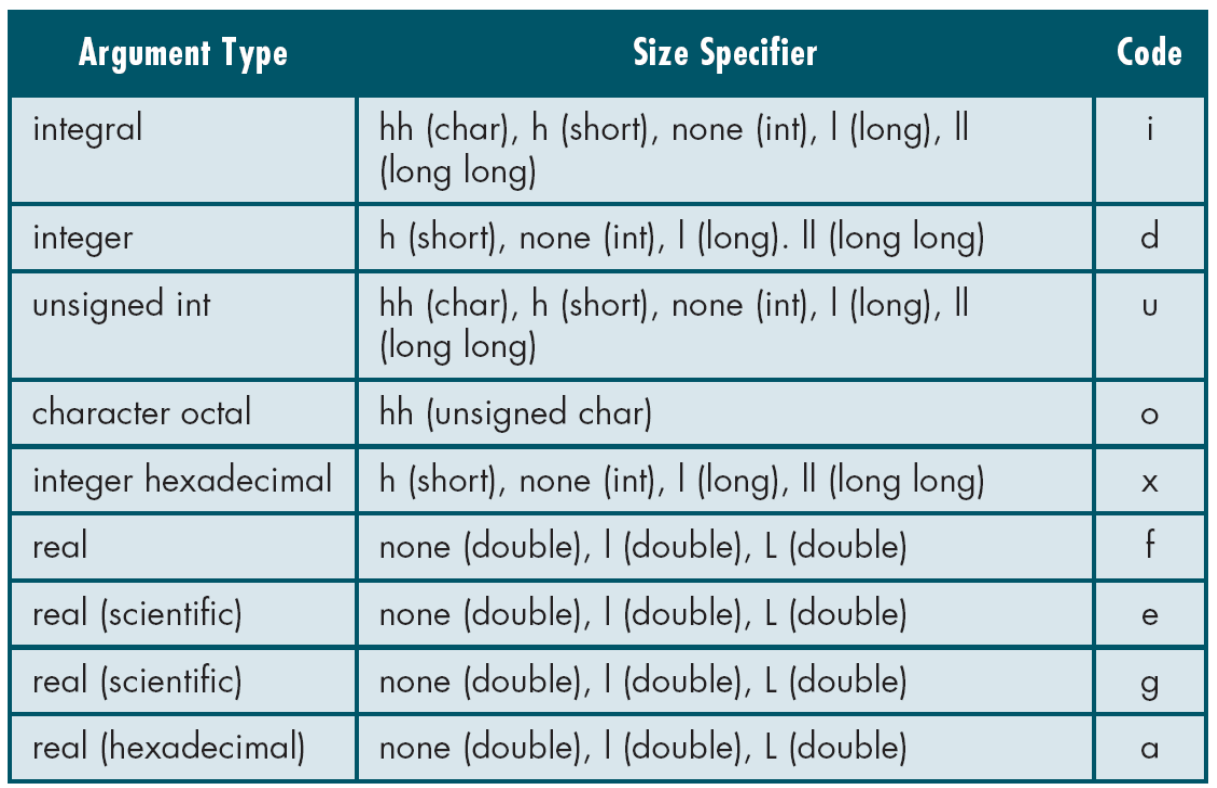
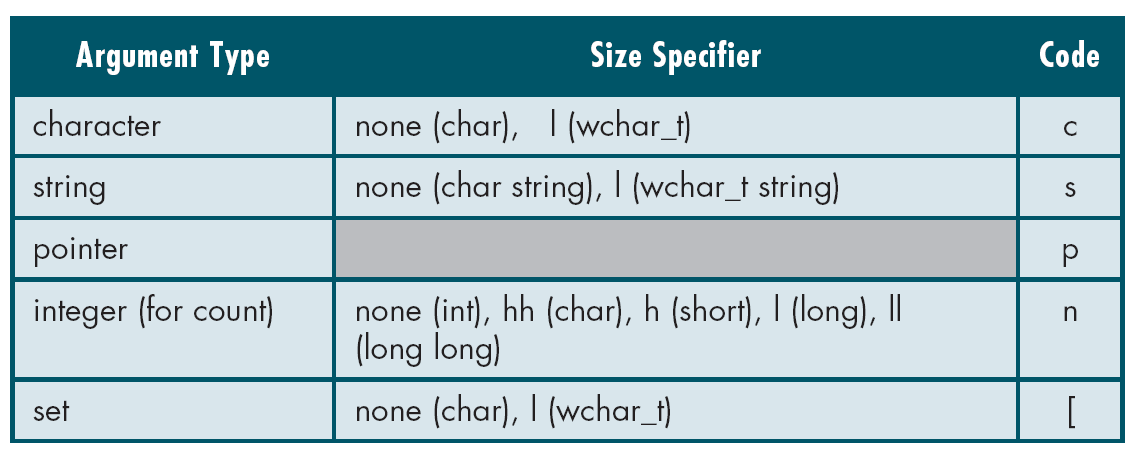
The following original figures are retained for restudy. They are historical reference material, not a set of newly tested programs or tables to memorize without qualification. Set 14 credits Chip Klostermeyer, University of North Florida; embedded credits remain. Use the corrected rules beside them and the current C documentation when choosing an argument type.
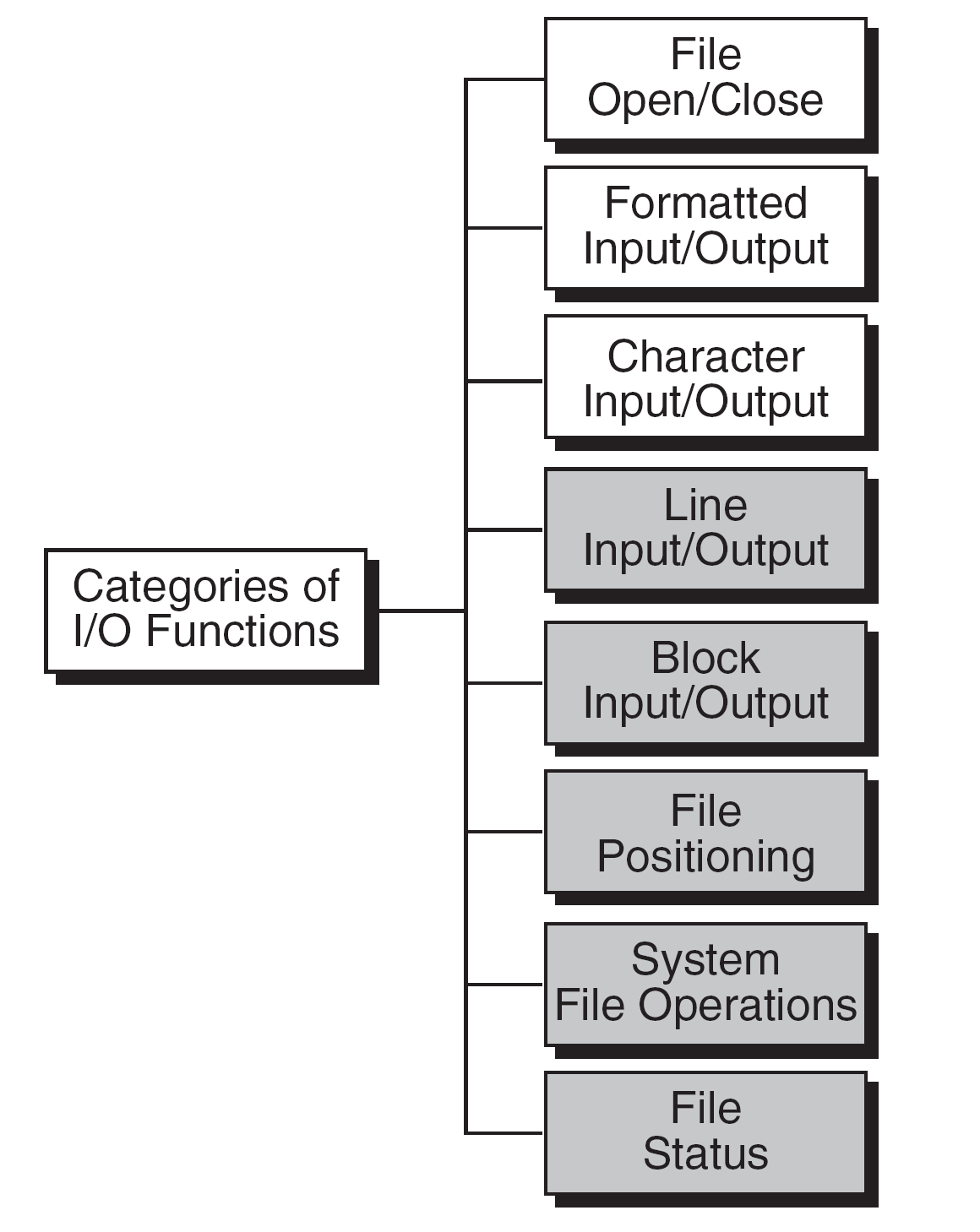
| Conversion | scanf-family destination | printf-family argument |
|---|---|---|
| %d | int * | int |
| %f | float * | double, including a promoted float |
| %lf | double * | double |
| %Lf | long double * | long double |
Integer conversions must match both length and signedness. For example, %u input requires unsigned int *, while %d requires int *. For a char buffer of capacity 16, %15s permits at most 15 non-whitespace input characters plus a terminator; %c does not append a terminator and does not skip whitespace by default. Width is not a general whole-record validator.
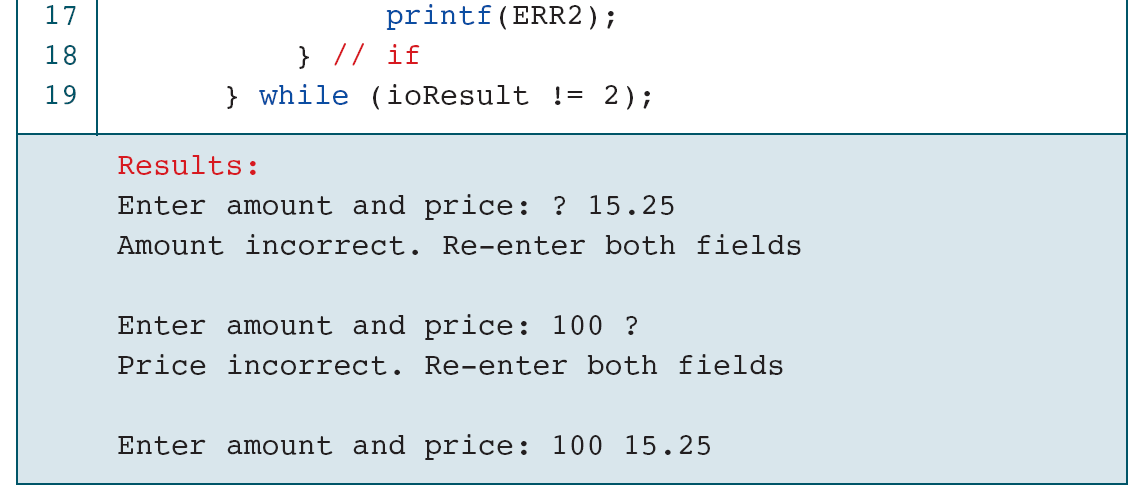
int ch;
while ((ch = getchar()) != '\n' && ch != EOF) {
    /* Discard through newline or end of input. */
}
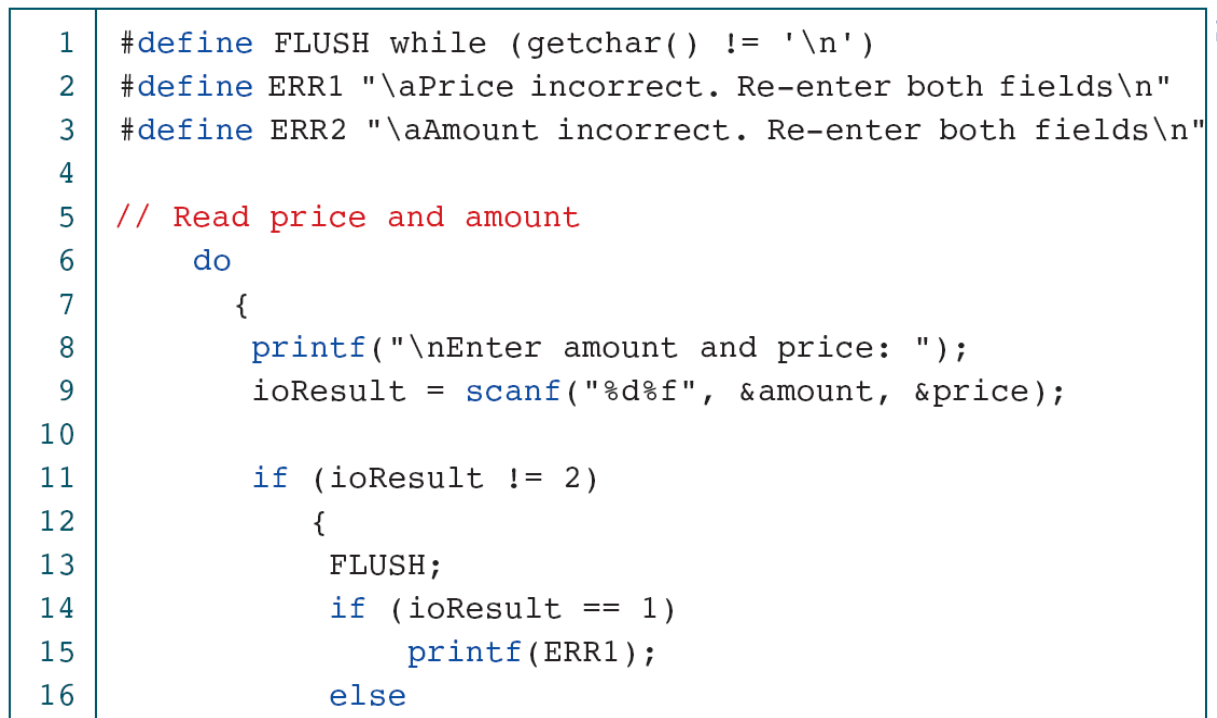
This discard fragment terminates at newline or EOF. A surrounding retry policy must also stop or report exhaustion instead of demanding another record forever. It does not use fflush(stdin), which is not the portable input-discard operation for standard C.
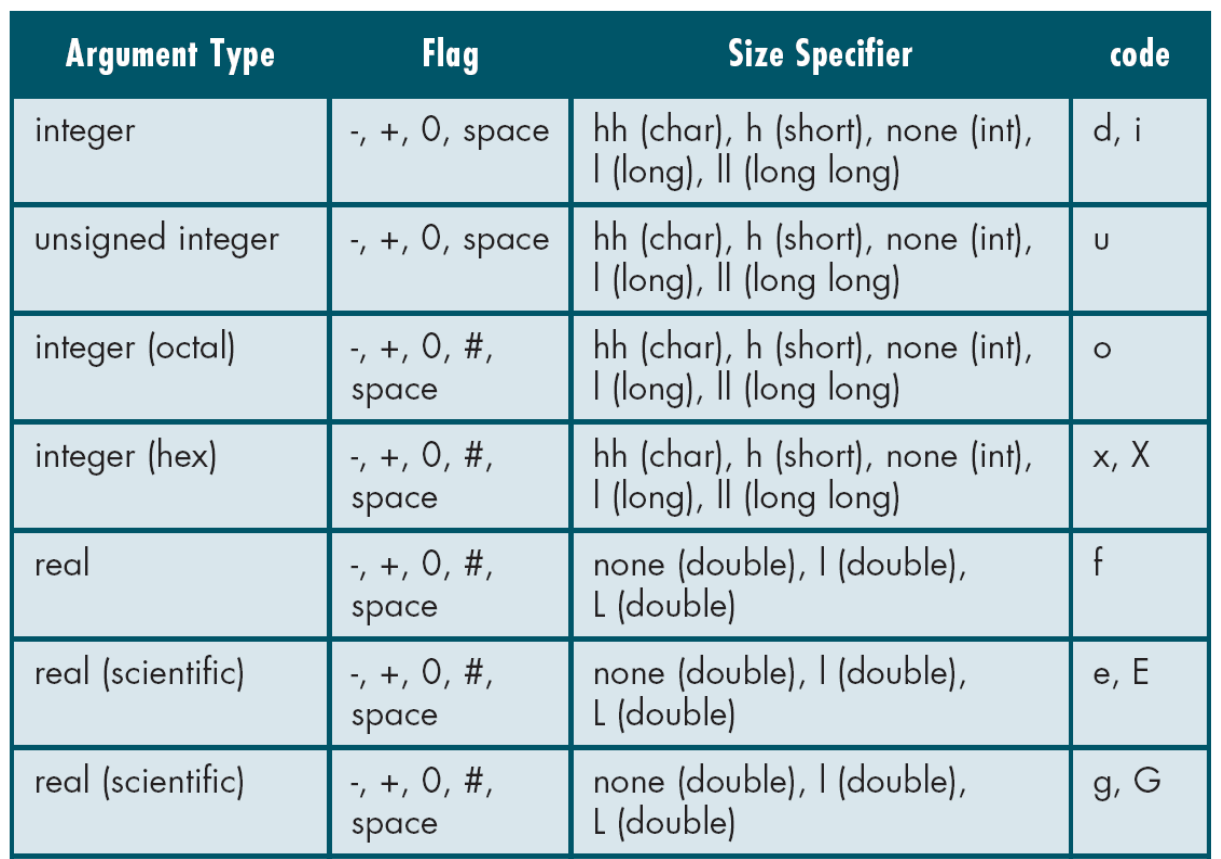
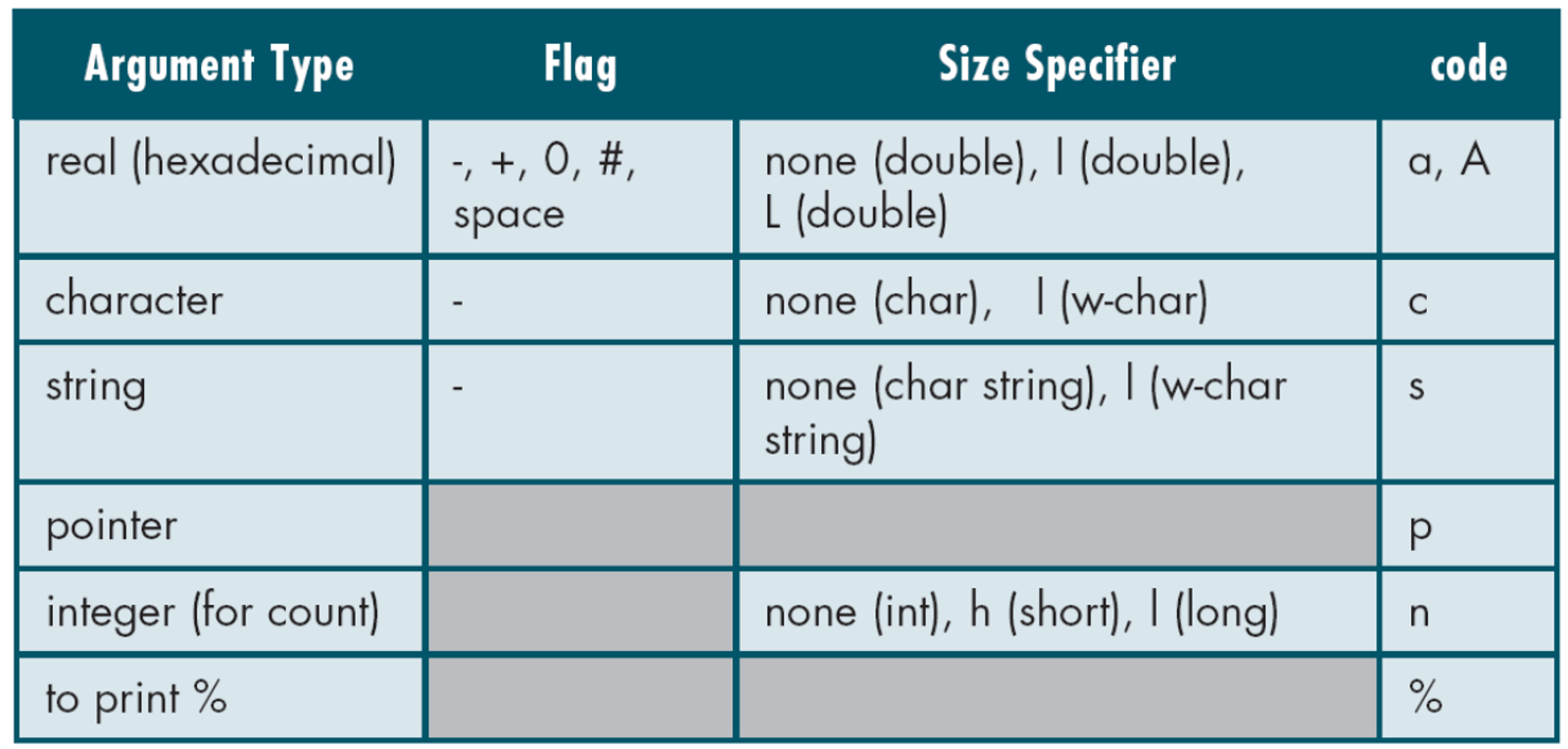
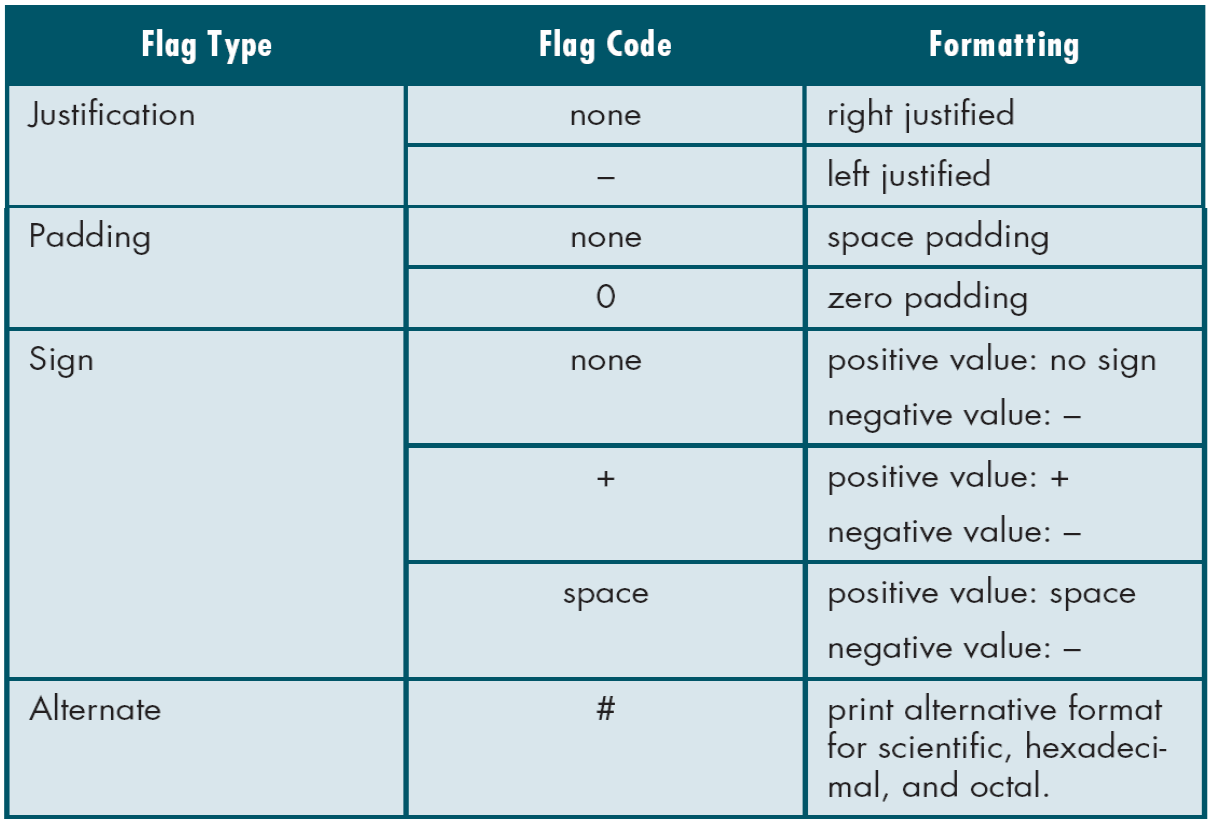
For pointer output, use %p with a void * argument, such as (void *)fp when illustrating a stream pointer value. Output float arguments undergo promotion to double. The historical tables contain shorthand and errors, so they do not replace the documented input and output contracts.
Check: Why can the same %f spelling require different argument types for input and output?
Input stores into an object and needs a float pointer. Output receives a value, and a float argument is promoted to double. The operation determines the argument contract.
21. Optional reference: reading, copying and appending
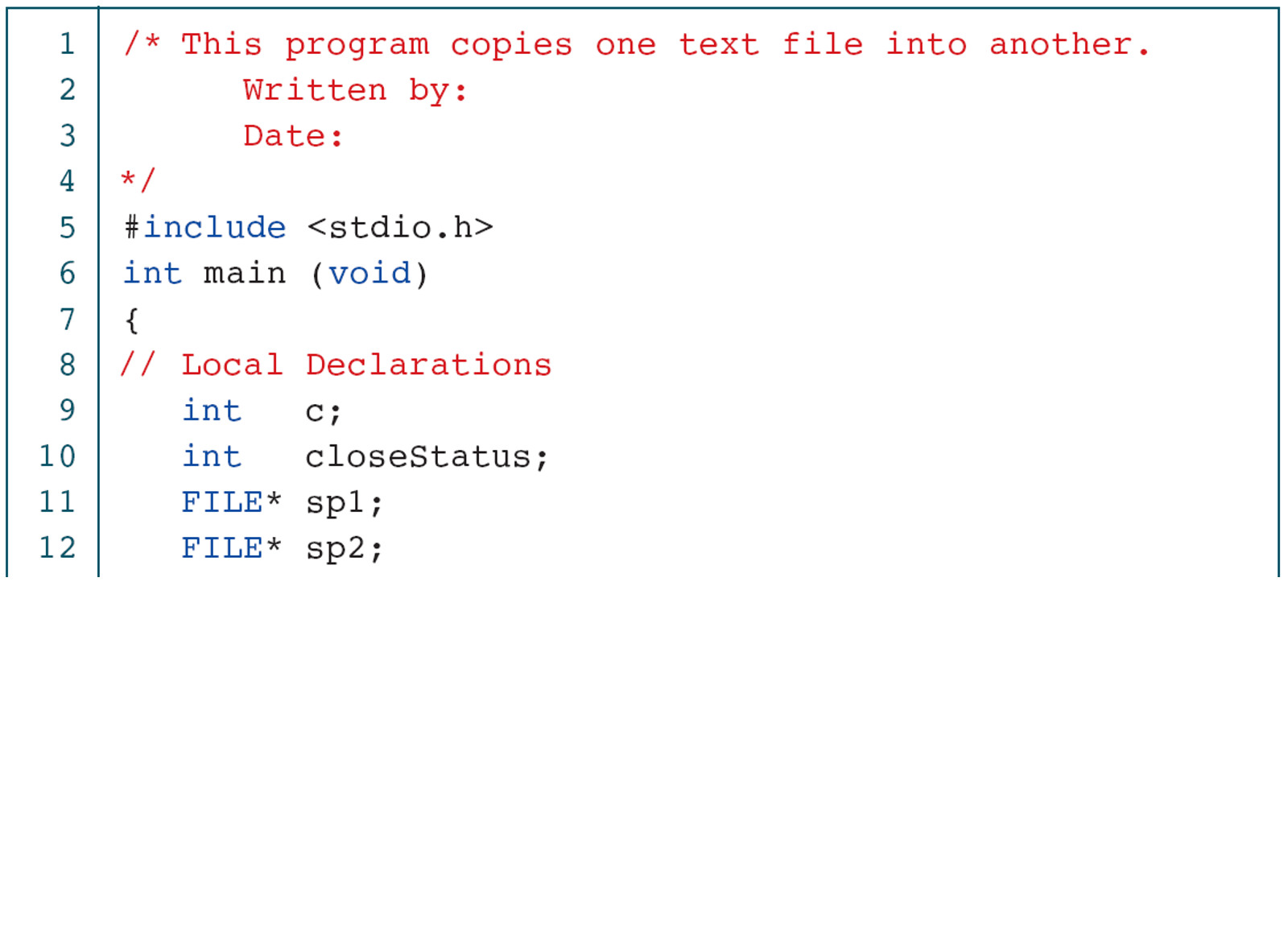
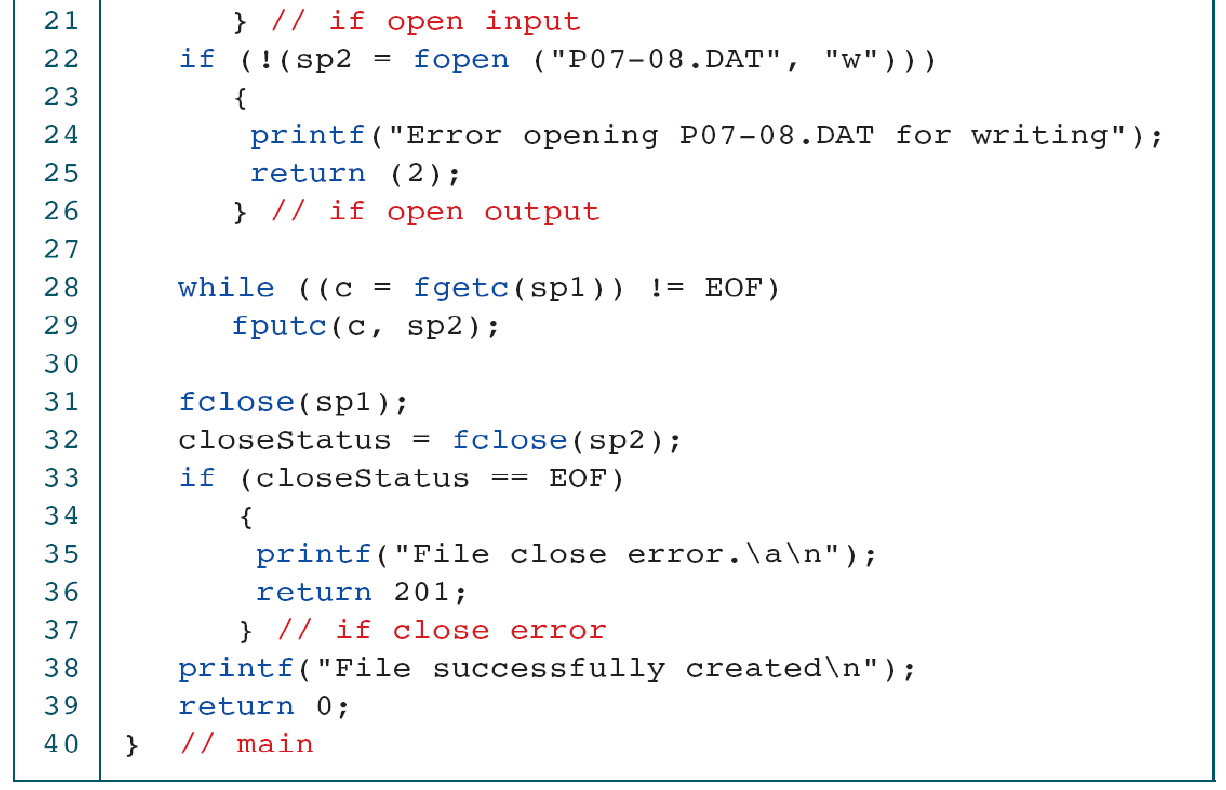
The next groups preserve the original longer examples. Follow the flow of open, input, output and close; compare it with the checked companion programs. An example that displays the intended result on one file may still omit a malformed-input or output-error path.
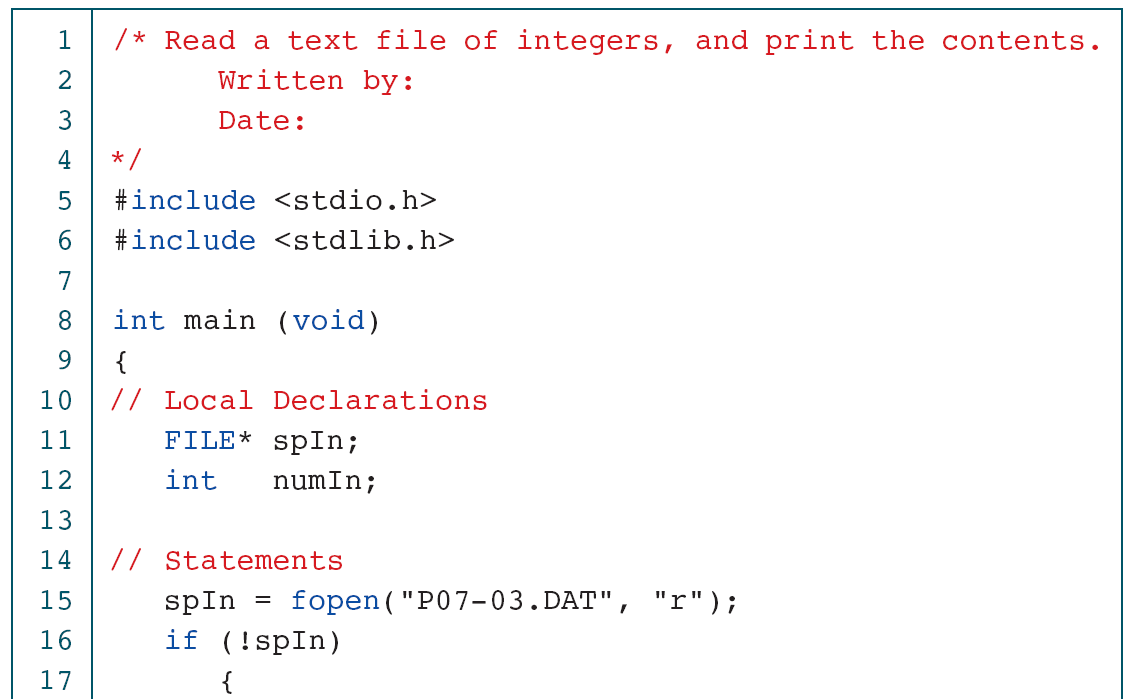
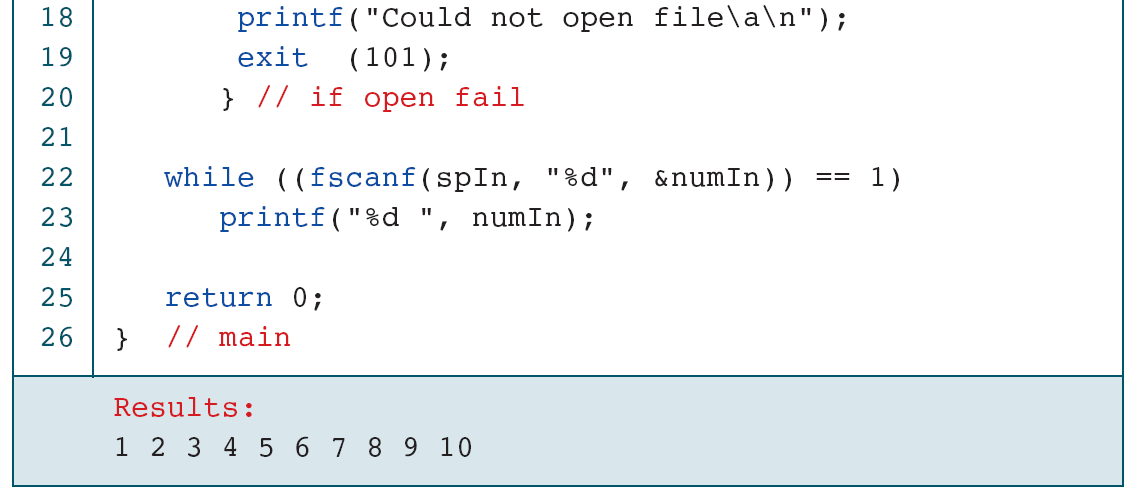
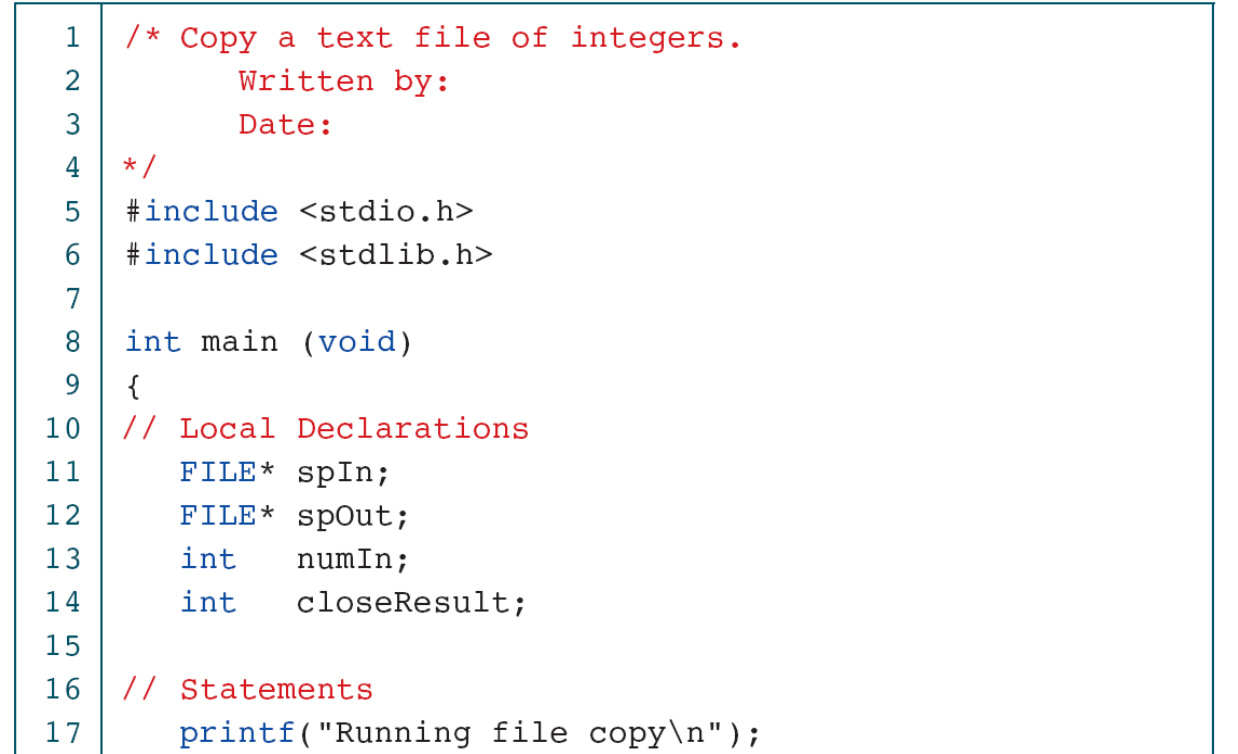
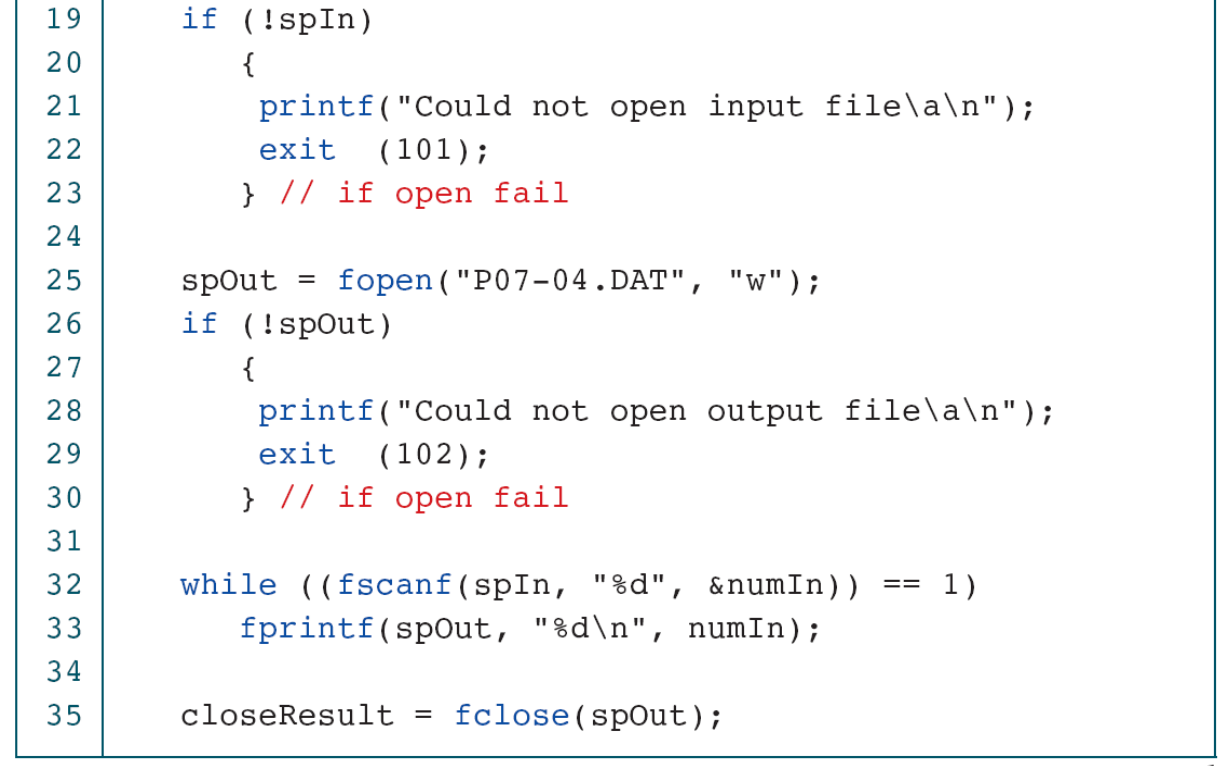
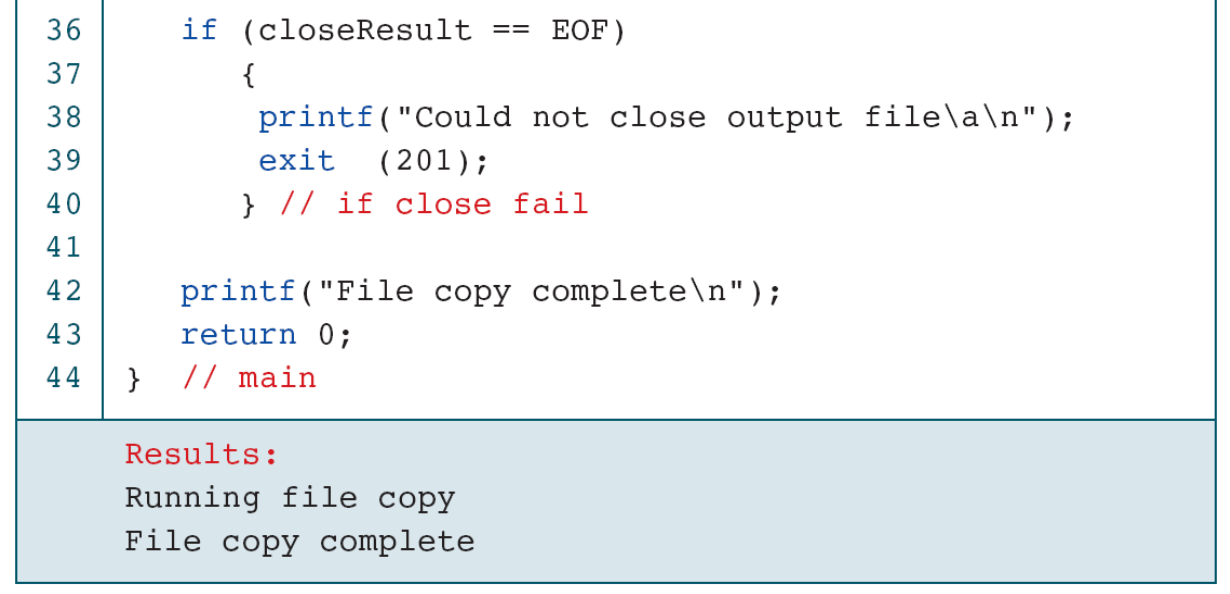
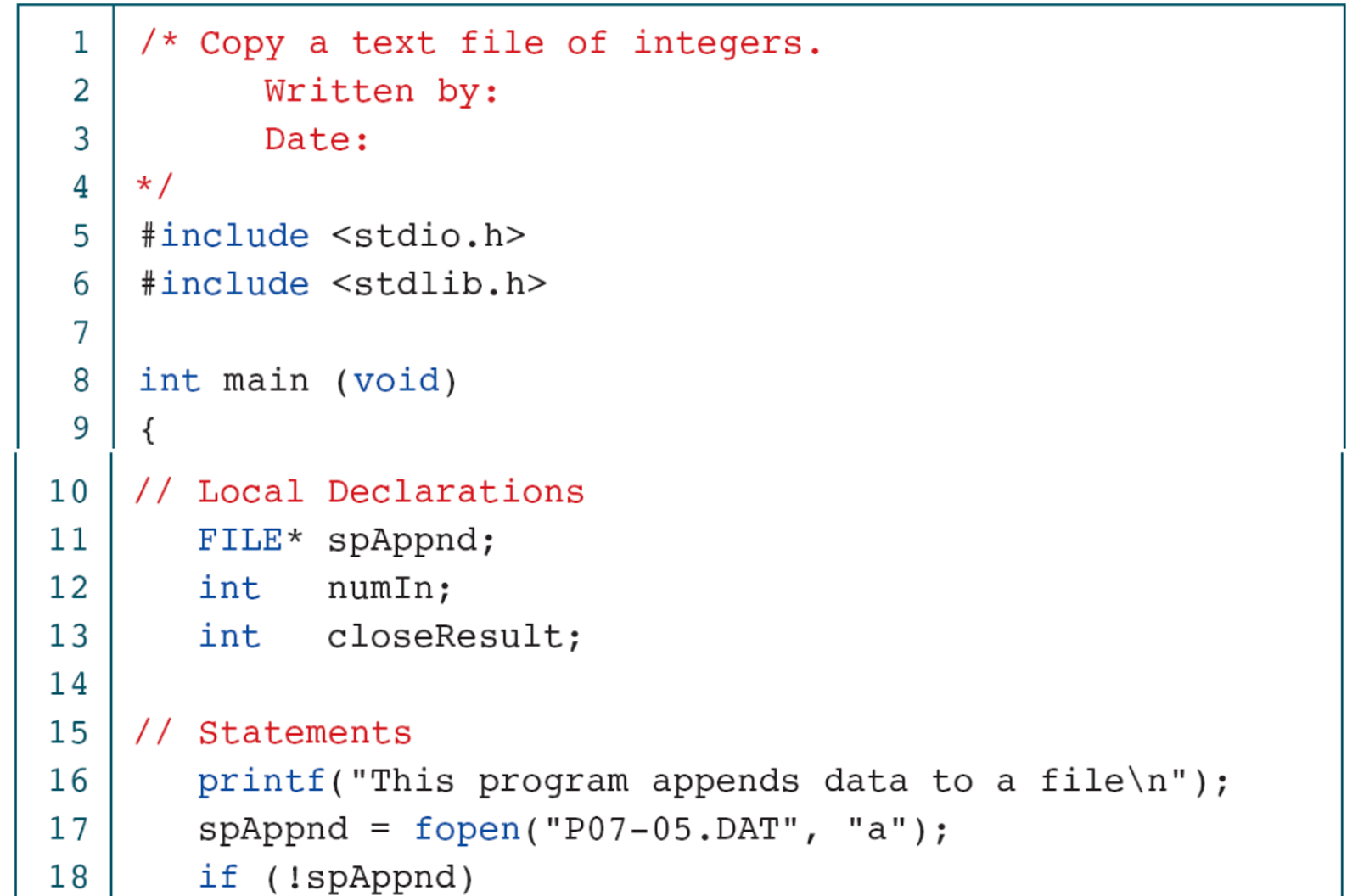
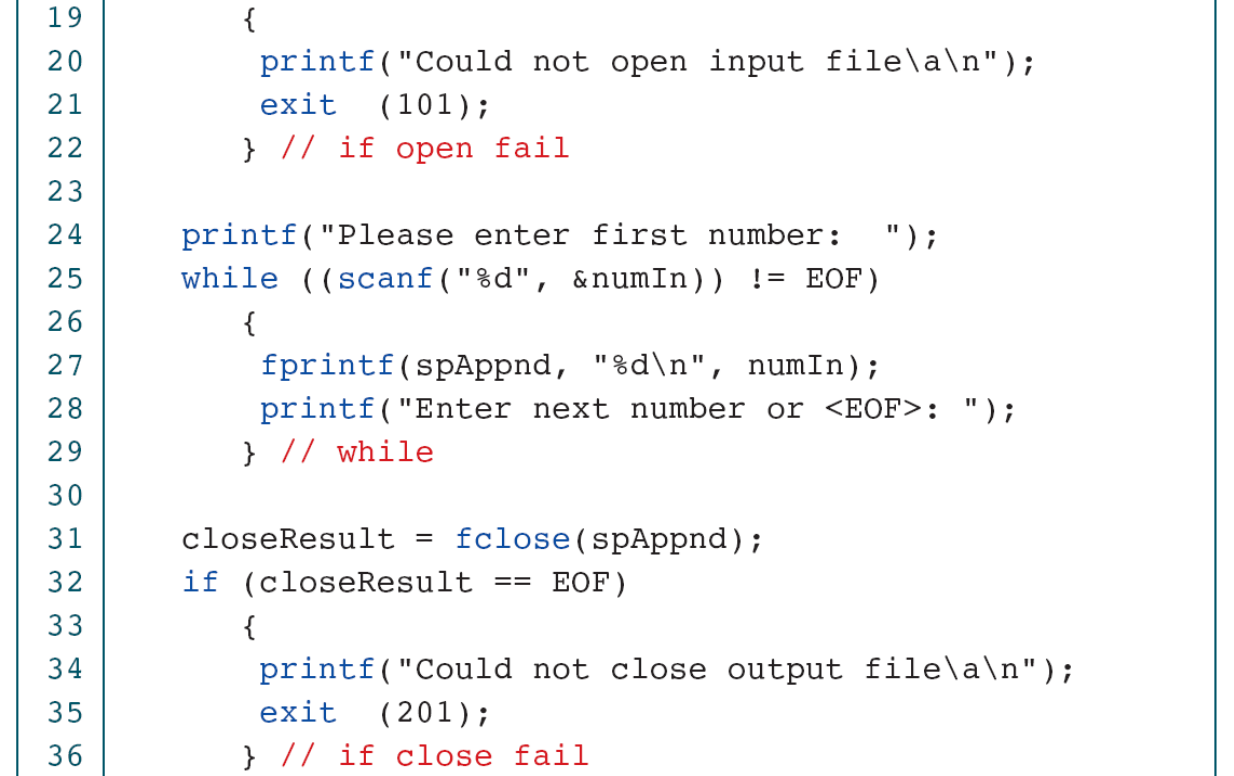
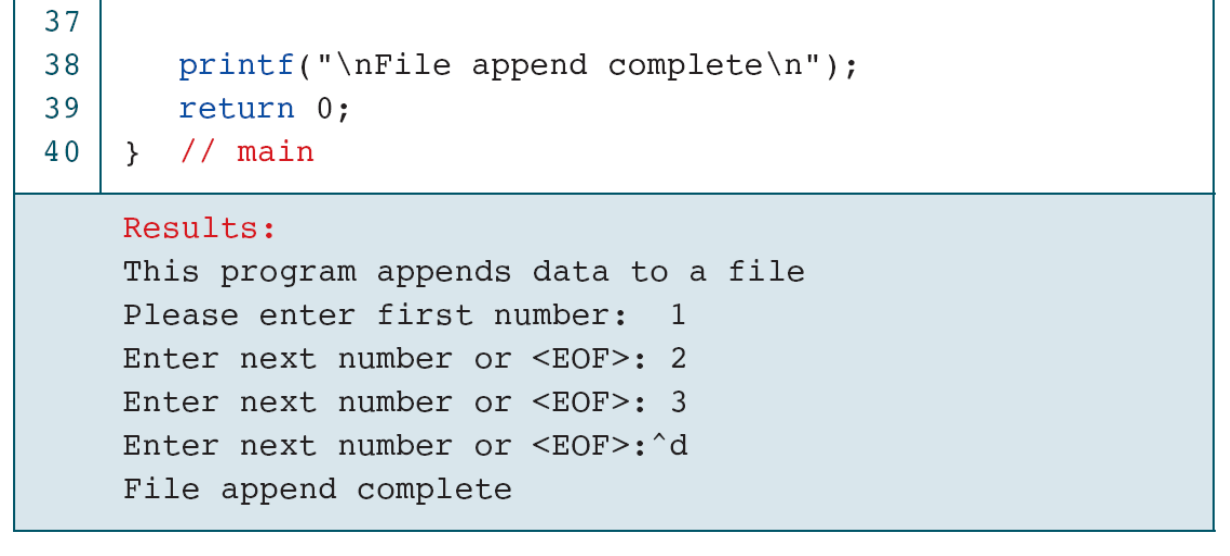
Copying numeric values is different from copying exact text. A reader can accept spaces and newlines as separators and write one value per line, preserving values while changing formatting. If exact text preservation is required, choose a text or byte-copying contract instead. Source and destination paths must also be chosen so output creation does not accidentally truncate the input file.
Check: If a numeric copy turns “12 34” into two separate lines, is that necessarily a bug?
It depends on the contract. The numeric values are preserved, but exact character formatting is not. State which result is required.
22. Optional reference: characters, lines and words
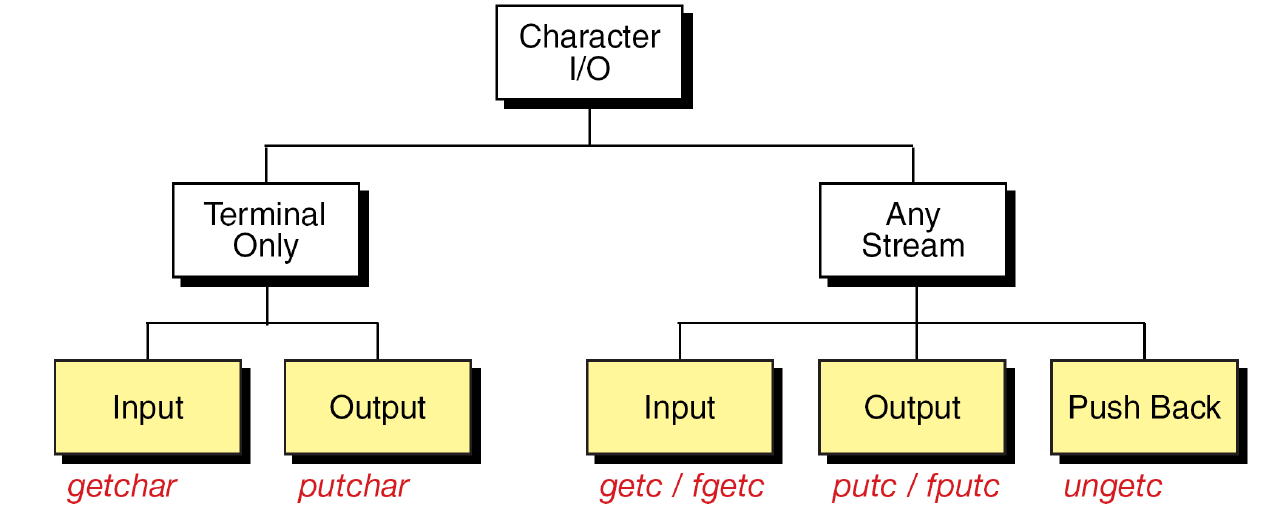
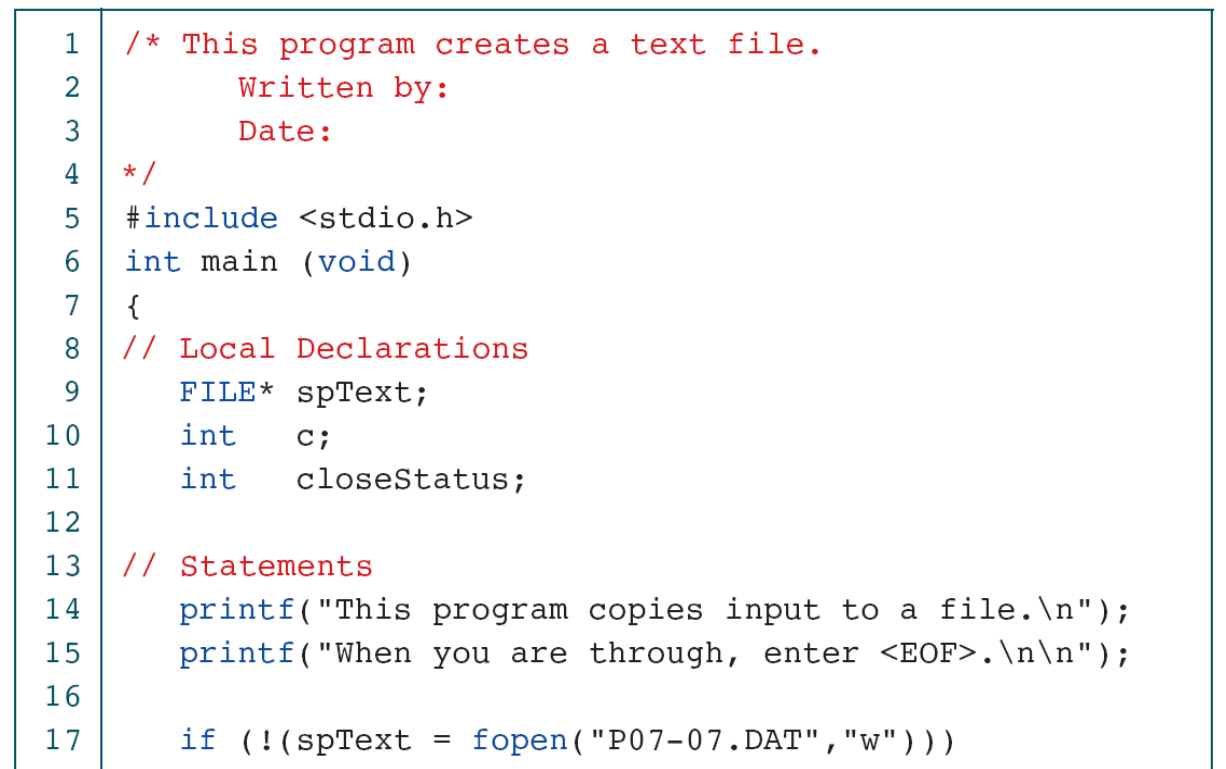
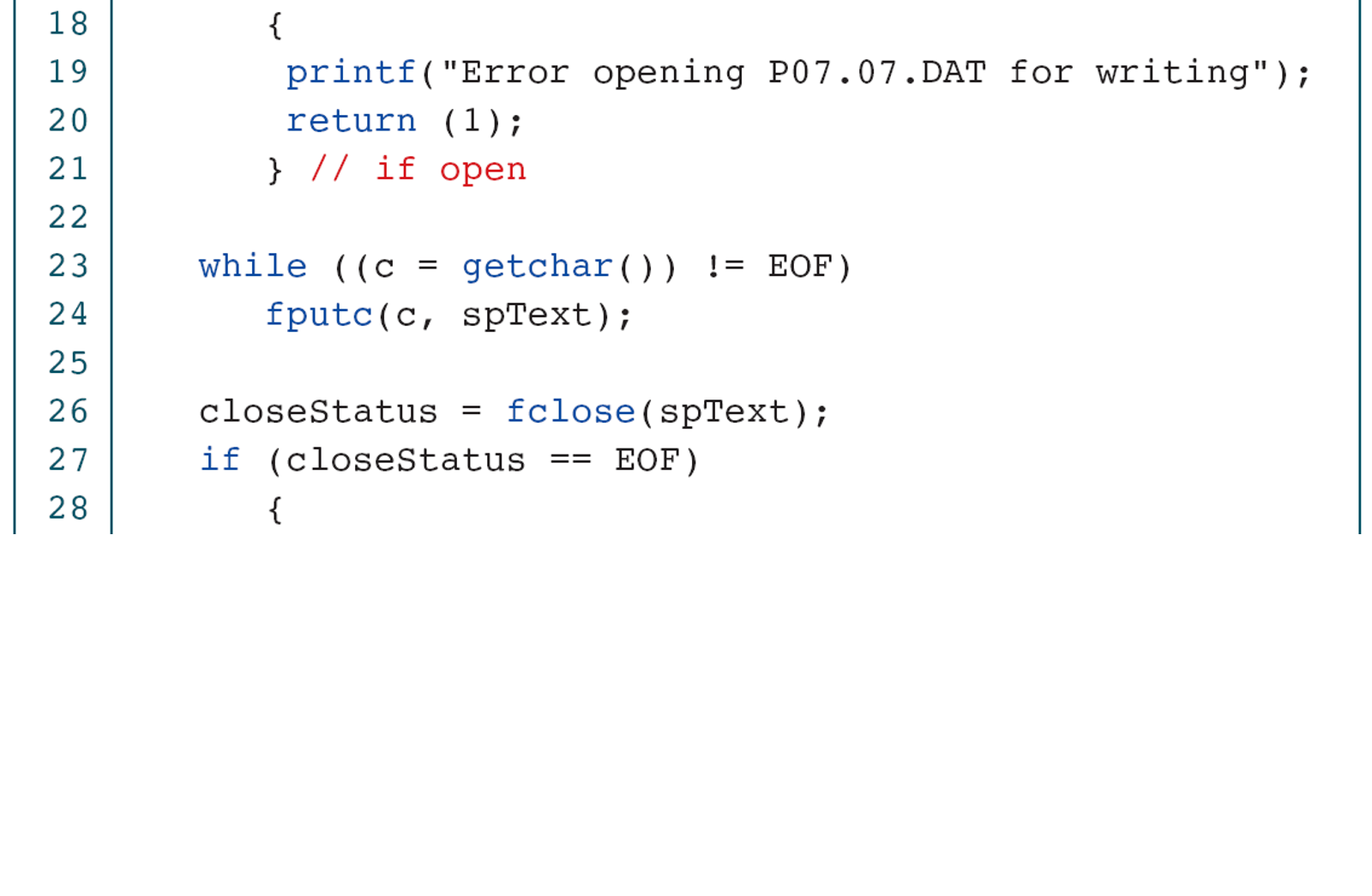
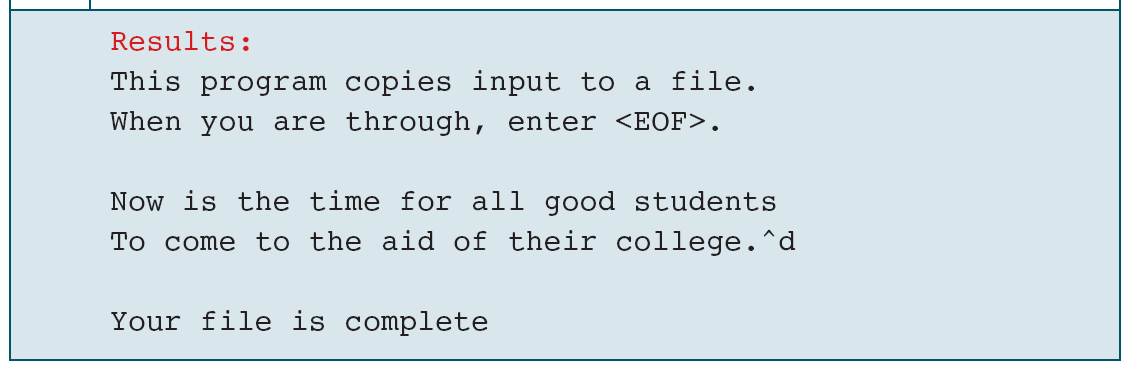
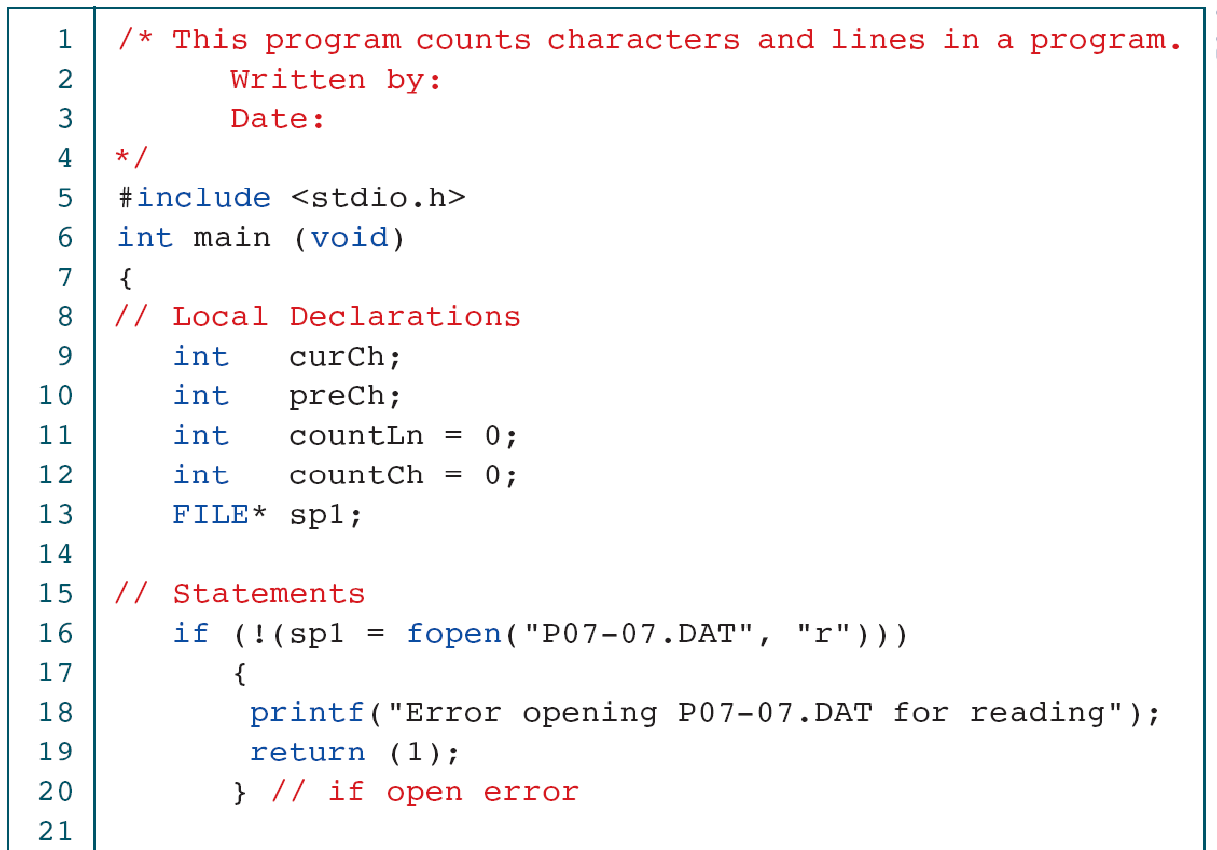
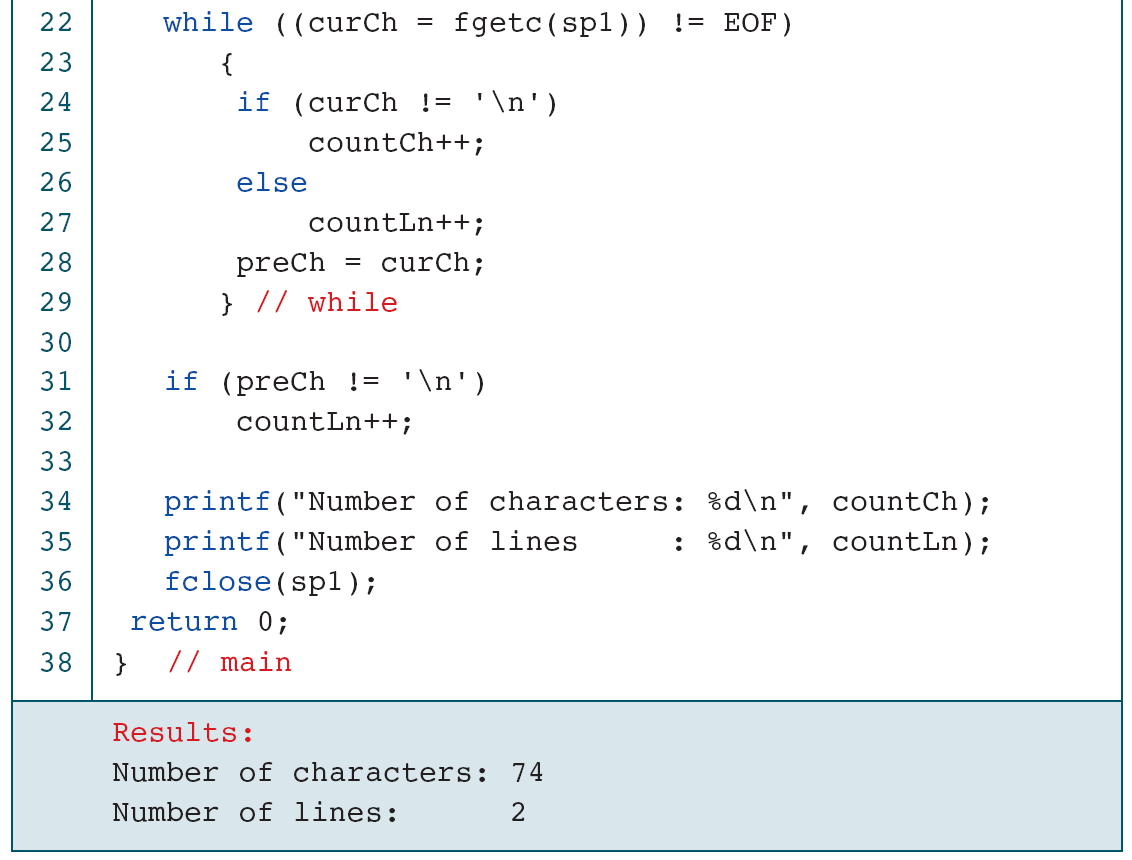
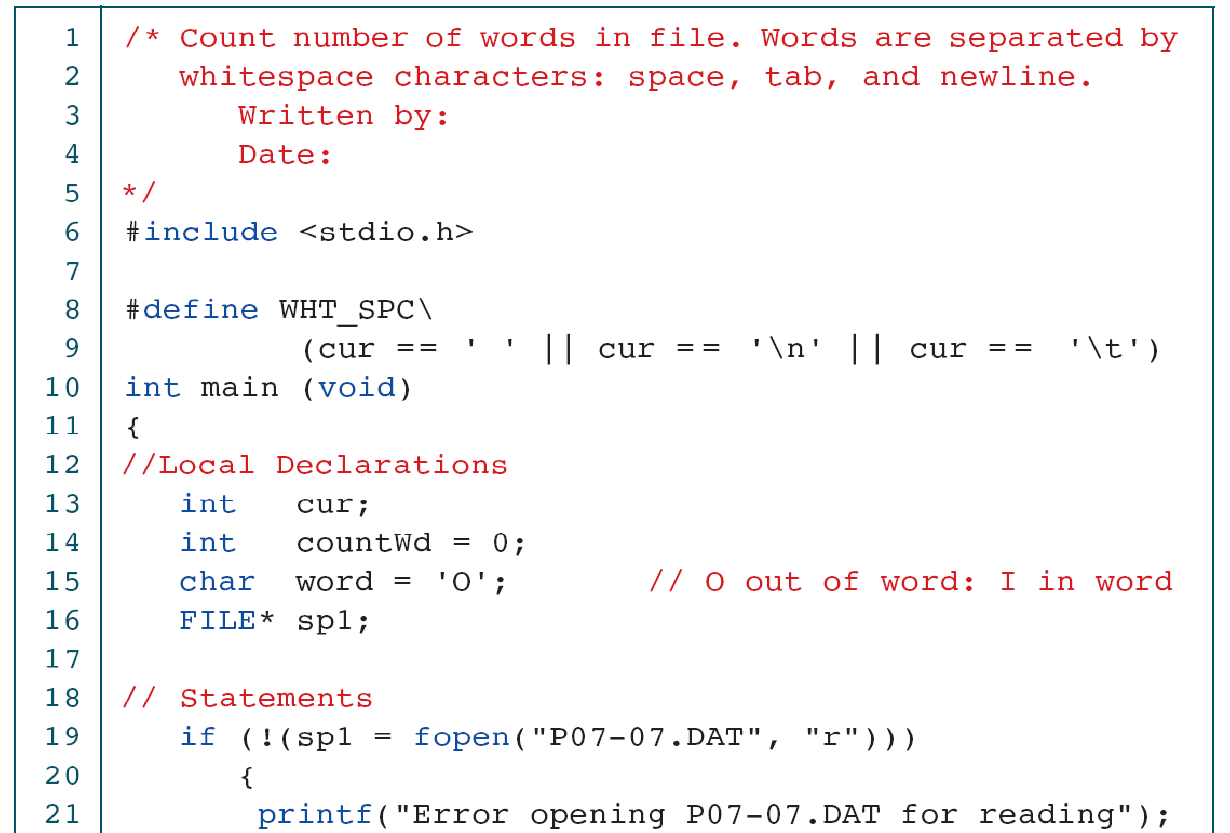
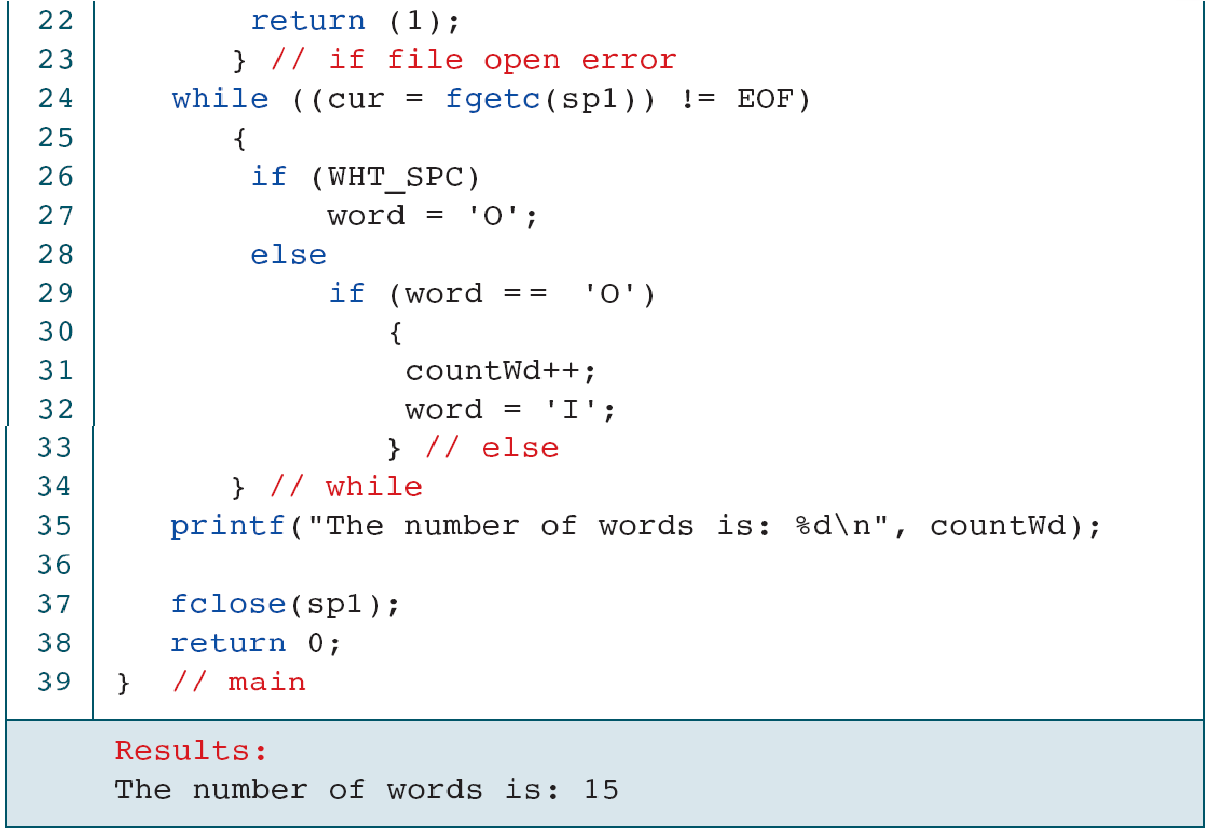
Counting newline characters is not always the same as counting logical text lines. A final nonempty fragment without a newline may count as one more line under the chosen definition; an empty file should not. The original character counter also excludes newline characters from its character total, so its label must not be interpreted as counting every byte.
For word counting, repeated separators must not create empty words. A state such as “inside a word” or “outside a word” distinguishes the first non-separator from subsequent characters in the same run. Punctuation, Unicode and language-specific segmentation require different rules; the source example intentionally uses a simpler definition.
Check: Why must a last-character test also know whether any character was read?
For an empty file there is no last character. Using an uninitialized variable is invalid, and inventing a final line would miscount the empty input.
23. Further study and interpretation
The same discipline applies to a URL, an HTTP response and a saved reading: distinguish representation, interpretation and evidence that the requested work succeeded. Revisit the diagrams when tracing a failure at a particular stage.
- Brookshear and Brylow, Computer Science: An Overview, 12th Global Edition (2015), Chapter 4: Internet and World Wide Web. Original instructor Sets 5 and 14 supply the historical and file-I/O illustrations.
- Internet Society: A Brief History of the Internet. Context for the opening computer and ARPANET figures.
- MDN: HTTP overview and cookies. Useful browser/resource examples. Figures 9 and 14 are by MDN contributors, CC BY-SA 2.5, rasterized from the original diagrams. For HTTP/3 transport use RFC 9114 rather than older TCP-only simplifications.
- RFC 1034: DNS concepts and RFC 3986: URI syntax. Read for the separation between names, addresses and resource components.
- RFC 9110: HTTP semantics, RFC 9111: caching, and RFC 9114: HTTP/3. Start with service concepts; protocol implementation is beyond the lab.
- C library: fopen, fgets, fscanf, fprintf, and fclose. Follow the standard C forms used here; Microsoft-specific variants are not course requirements.
All 56 image-bearing slides from the current Week 10 deck are represented, including their multiple components and the original HTML crops. The longer reference figures are preserved for optional restudy with corrections beside them. They are not a requirement to implement every source program.